Tag: Cloud Computing

  • What is Edge Computing and Why It Matters More Than You Knew

    What is Edge Computing and Why It Matters More Than You Knew

    Imagine a self-driving car needing to make a split-second decision to avoid an accident. Sending data to a cloud server hundreds of miles away and waiting for a response is simply not an option. This critical need for speed and immediacy is at the heart of edge computing, a transformative shift in how we process data. But what exactly is it, and why should you care? Let’s break it down.

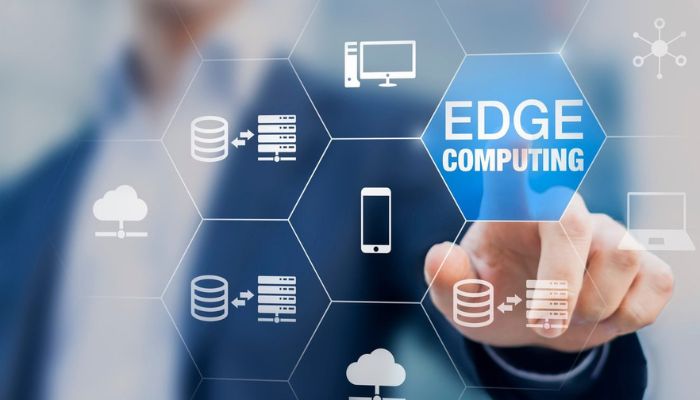
    In simple terms, edge computing is a distributed computing framework that brings computation and data storage closer to the location where it is needed—to the “edge” of the network. Instead of sending every bit of data from your devices to distant cloud data centers, processing happens locally, on the device itself or on a nearby server. This dramatically reduces delay (latency), saves bandwidth, and enables real-time applications that were previously impossible. It’s not a replacement for cloud computing, but a powerful complement that is quietly revolutionizing our digital world.

    How Edge Computing Works: The Core Concepts

    To understand how edge computing works, picture a traditional setup: Your smart security camera records footage → sends it all to the cloud → the cloud server analyzes it → sends an alert back to your phone. This round trip takes time and bandwidth.

    Now, let’s apply edge computing architecture. The camera itself, or a small local gateway in your home, has enough processing power to run the video analytics. It can immediately recognize a person versus a stray cat, and only send an alert—or a short clip—to the cloud. The raw, hours-long video stream stays local.

    Read more about The Insider’s Guide to Cheap Secure Hosting: Strategies Beyond the Basics

    The key components of this ecosystem include:

    • Edge Devices: These are the physical hardware where data is generated. Think IoT sensors, smartphones, industrial machines, or medical devices.
    • Edge Nodes/Gateways: These are local processing units that collect and analyze data from multiple edge devices. They act as an intermediate layer.
    • Edge Servers: More powerful micro-data centers located physically close to users, like at a cell tower base or a factory floor.
    • The Network Edge: This is the point where the device, or the local network, connects to the broader internet.

    The Unbeatable Benefits of Edge Computing

    Why is this shift so significant? The advantages of edge computing extend far beyond just speed.

    1. Blazing-Fast Speed and Ultra-Low Latency: This is the superstar benefit. By processing data locally, edge computing eliminates the long-distance network journey. This is crucial for applications like autonomous vehicles, real-time gaming (cloud gaming), and augmented reality (AR), where milliseconds matter.
    2. Massive Bandwidth Savings and Reduced Costs: Transmitting endless streams of raw data (e.g., from hundreds of factory cameras) is expensive. By processing and filtering data at the source, only valuable insights are sent to the cloud, slashing bandwidth needs and associated costs.
    3. Enhanced Reliability and Offline Operation: An edge device or local gateway can continue to operate and make critical decisions even if the connection to the central cloud is lost. This resilience is vital for remote locations (like oil rigs) or for continuous industrial processes.
    4. Improved Security and Data Privacy: Sensitive data can be processed locally without ever leaving the premises. For instance, a hospital can analyze patient data on-site to comply with strict privacy regulations like HIPAA, transmitting only anonymized insights to the cloud.

    Edge Computing in Action: Real-World Applications

    Edge computing technology isn’t a futuristic concept—it’s already here, powering innovations across industries.

    • Smart Factories & Industry 4.0: Machines equipped with sensors predict their own maintenance needs, and vision systems on assembly lines perform real-time quality control, drastically reducing downtime and waste.
    • Autonomous Vehicles: A self-driving car uses edge computing to instantly process LiDAR, camera, and radar data to navigate traffic. It cannot afford to wait for a cloud server’s response.
    • Smart Cities: Traffic lights adjust in real-time based on local flow, and smart grids balance energy distribution within neighborhoods using local data.
    • Retail: Stores use in-store cameras and sensors for inventory tracking, personalized promotions sent to your phone as you walk by, and frictionless checkout experiences.
    • Healthcare: Wearable health monitors analyze vital signs in real time, alerting patients and doctors to potential issues immediately. Surgical robots rely on edge processing for precise, instantaneous feedback.
    Navigating the Challenges and Looking to the Future

    Adopting an edge computing strategy is not without its hurdles. Managing thousands of distributed devices can be complex, requiring new tools for deployment, monitoring, and security. Securing these numerous “edges” becomes a larger surface area to protect compared to a few centralized data centers.

    However, the future is undoubtedly at the edge. The rollout of 5G networks, with their high speed and capacity, is a perfect partner for edge computing. We’re also moving towards a world of hybrid cloud-edge models, where intelligent workload placement decides what runs best where.

    Furthermore, the rise of AI at the edge means machine learning models will run directly on devices. Your smartphone camera will get smarter without uploading photos, and your smart speaker will understand you better without a constant internet connection.

    Conclusion: The Edge is Where the Action Is

    Edge computing is more than a technical buzzword; it’s a fundamental rethinking of our data infrastructure. It matters because it unlocks the true potential of technologies that demand instant response—from the factory floor to your living room. By bringing intelligence closer to the source, it creates a faster, more efficient, and more responsive digital world.
    As billions of new devices connect to the internet, the importance of edge computing will only grow. It represents the next logical step in our journey from centralized mainframes to the cloud, and now, to an intelligent, distributed edge. Understanding this shift is key to understanding the future of technology itself.
  • Guide to Serverless Computing You Didn’t Know About

    Guide to Serverless Computing You Didn’t Know About

    Forget everything you think you know about servers for a moment. Serverless computing isn’t about a world without servers—they’re still there, humming in distant data centers. Instead, it’s about a fundamental shift in focus: from infrastructure management to pure code execution. Imagine writing an application where you never once have to provision a virtual machine, scale a cluster, or patch an operating system. You simply upload your code, and it runs—scaling seamlessly from zero to millions of requests and back to zero, while you pay only for the exact milliseconds of compute time consumed. This is the transformative promise of the serverless model, and its implications run deeper than most introductory guides reveal.

    Deconstructing the Serverless Illusion

    The term “serverless” is a brilliant piece of marketing, but it can be misleading. A more accurate technical description is Function-as-a-Service (FaaS). Here, your application is broken down into individual, stateless functions—discrete units of logic triggered by specific events.

    Read more about The Freelancer Tech Stack You Need

    The Core Architecture: Events and Triggers

    In a traditional server-based setup, your code sits waiting on a constantly running server. In a serverless architecture, your functions lie dormant until a predefined event awakens them. This event could be:

    • An HTTP request (via an API Gateway)
    • A new file uploaded to cloud storage
    • A scheduled cron-like timer
    • A message arriving in a queue
    • A database update

    This event-driven paradigm is the true engine of serverless systems. It enables a powerful, decoupled way of building applications where services react to changes in real-time.

    The Hidden Landscape: Benefits Beyond Cost

    The pay-per-execution model of serverless platforms like AWS Lambda, Azure Functions, and Google Cloud Functions is often the headline benefit. But the true strategic advantages are more profound:

    • Blazing-Fast Innovation Cycles: Developers deploy features, not infrastructure. This can shrink development cycles from weeks to days, as the operational overhead evaporates.
    • Intrinsic, Granular Scalability: Each function scales independently and automatically. A user upload function can handle a sudden spike without impacting your background data-processing function. This granularity is nearly impossible to achieve cost-effectively with traditional servers.
    • Built-in High Availability and Fault Tolerance: Leading serverless providers bake redundancy and distribution across availability zones into their service. Your function runs in a managed environment designed for resilience without your direct intervention.

    The Unspoken Challenges and Strategic Considerations

    No architecture is a silver bullet. To wield serverless computing effectively, you must understand its nuanced constraints.

    The Cold Start Conundrum

    When a function hasn’t been invoked recently, the serverless platform needs to spin up a new execution environment (a “container”). This initialization, from a few hundred milliseconds to several seconds, is a “cold start.” For user-facing APIs requiring ultra-low latency, this can be problematic. Strategies like provisioned concurrency or scheduling periodic warm-up invocations are advanced tactics to mitigate this.

    State Management in a Stateless World

    Serverless functions are designed to be stateless. They cannot retain information in memory between invocations. Any required state—user sessions, application data—must be externalized to fully managed services like databases, caching layers (Redis), or object storage. This forces a clean architectural separation of concerns but requires careful planning.

    The Observability Gap

    Debugging a distributed system of ephemeral functions is different from tracing a monolithic app on a known server. You need robust logging, distributed tracing (using tools like AWS X-Ray), and monitoring tailored to short-lived executions. The visibility is there, but you must instrument for it.

    Advanced Patterns and Unique Use Cases

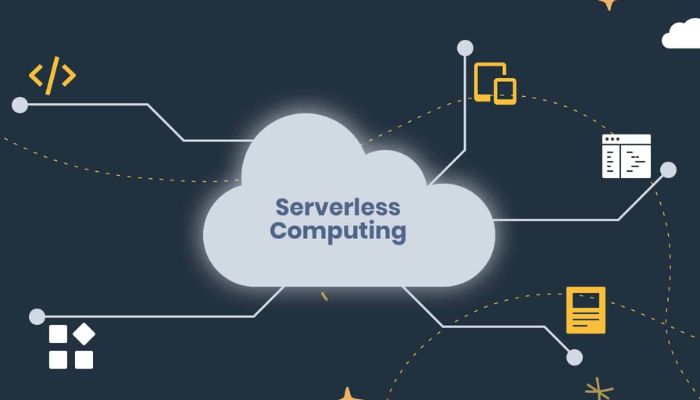
    serverless computing

    Beyond simple API backends, serverless architecture excels in specific scenarios often overlooked:

    1. Real-Time File Processing Pipelines: Automatically trigger functions to resize images, transcode videos, or validate data the moment a file lands in storage. This creates powerful, event-driven workflows.
    2. Chatbots and Async APIs: Handle intermittent, conversational traffic perfectly without maintaining a 24/7 server pool.
    3. IoT Data Ingestion and Filtering: Process millions of small data packets from devices, filtering and aggregating before sending to a database, paying only for the microsecond bursts of activity.
    4. Scheduled Automation and Maintenance: Run database cleanups, send batch notifications, or generate reports on a cron schedule without managing a scheduler host.

    Navigating Vendor Ecosystem and Lock-In

    A significant, often under-discussed, aspect of serverless computing is vendor lock-in. Your functions are tightly integrated with the provider’s ecosystem of event sources, APIs, and tooling. Porting an application from AWS Lambda to Azure Functions is non-trivial. Mitigation lies in:

    • Using infrastructure-as-code (IaC) tools like Terraform or the Serverless Framework for deployment.
    • Adopting a serverless framework that abstracts some provider-specific details.
    • Designing your business logic to be as portable as possible within the confines of the event-driven model.

    Conclusion: Is Serverless Right for Your Workload?

    Serverless computing is not about replacing all servers. It’s a powerful, specialized tool for event-driven, asynchronous, and bursty workloads. It shines when you value developer velocity, need extreme scalability from zero, and have a workload pattern that is intermittent. For long-running, consistent, high-throughput, or stateful applications, traditional container or VM-based architectures may remain more suitable and cost-effective.

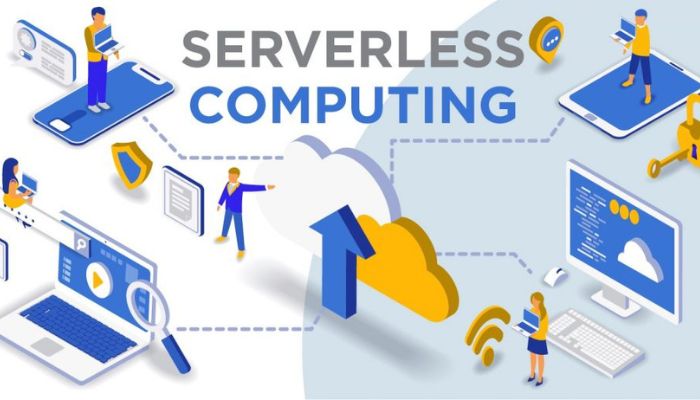
    serverless computing

    The future of cloud computing is polyglot—a blend of VMs, containers, and serverless functions. The most sophisticated teams will learn to architect systems that leverage the best of each model, placing stateless, event-driven components into a serverless environment while using other compute forms where they excel. Mastering this nuanced understanding is the true key to unlocking the next level of cloud efficiency and innovation.

  • Cloud vs Local Servers: Which IT Solution is Right for Your Business?

    Cloud vs Local Servers: Which IT Solution is Right for Your Business?

    In today’s digital landscape, one of the most critical decisions a business faces is where to host its data and applications. The core of this decision often boils down to a fundamental choice: cloud vs local servers. This isn’t just a technical debate; it’s a strategic one that impacts your budget, security, and ability to grow.

    Understanding the difference between a server in your office and a virtual server in a global data center is key to making an informed choice. This comprehensive guide will break down the pros, cons, and perfect-use scenarios for each, moving beyond the hype to give you a clear-eyed view.

    What Are We Actually Comparing?

    Before diving into the comparison of cloud versus local servers, let’s define our terms.

    • Local Servers (On-Premises): This refers to physical computer servers that you own and host on your business premises. You are responsible for purchasing the hardware, maintaining it, powering it, cooling it, and securing it.
    • Cloud Computing: This refers to accessing computing services—servers, storage, databases, networking—over the internet (“the cloud”) from a provider like Amazon Web Services (AWS), Microsoft Azure, or Google Cloud Platform. You rent these resources on-demand.

    Think of it as the difference between building your own power plant (local) versus buying electricity from a utility company (cloud). This analogy helps frame the core differences in cost, control, and responsibility.

    Key Differences: Breaking Down the Cloud vs Local Servers Debate

    To make the right choice, you need to compare these solutions across several key business dimensions.

    Cost Structure: Capital Expenditure vs. Operational Expenditure

    This is one of the most significant differentiators in the cloud versus on-premises servers discussion.

    • Local Servers: Require a large upfront capital expenditure (CapEx). You must purchase the server hardware, which can cost thousands of dollars, plus software licenses, and potentially the infrastructure to support it (e.g., cooling, backup power). This is a significant initial investment.
    • Cloud Computing: Operates on an operational expenditure (OpEx) model. You pay a monthly or annual subscription fee based on the resources you use. There is little to no upfront cost, making it more accessible for small and growing businesses.

    Verdict: The cloud offers a lower barrier to entry, while local servers can become more cost-effective over the long term for predictable, heavy workloads.

    Scalability and Flexibility: Planning for Growth

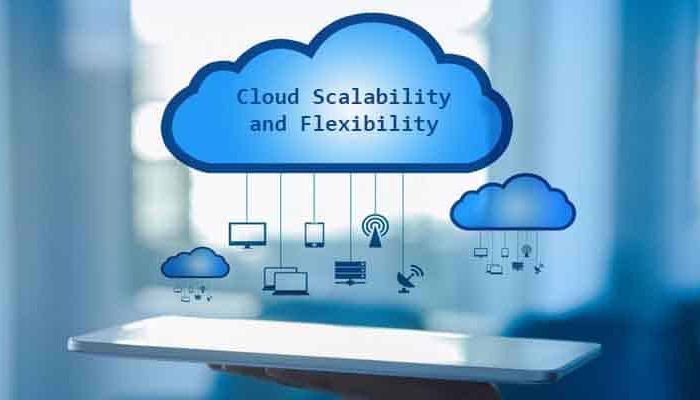
    cloud vs local servers

    How easily can your IT infrastructure adapt to change?

    • Local Servers: Scaling requires purchasing, installing, and configuring new physical hardware. This process is slow, expensive, and requires careful long-term planning. If you experience unexpected growth, your server can become a bottleneck.
    • Cloud Computing: Scalability is its greatest strength. You can increase or decrease resources (CPU, RAM, storage) with a few clicks, often in real-time. This “elasticity” is perfect for businesses with fluctuating demands, like seasonal e-commerce sites.

    Verdict: The cloud wins decisively on scalability, offering unparalleled flexibility.

    Security and Control: Who Guards the Castle?

    The security debate in the cloud vs local server conversation is often misunderstood.

    • Local Servers: You have complete physical and administrative control over your data and security systems. This can be appealing, but it also means the entire burden of security—from firewalls to intrusion detection—falls on your IT team. You are responsible for every potential vulnerability.
    • Cloud Computing: Security is a shared responsibility. The cloud provider secures the underlying infrastructure (the data center, the hypervisor), while you are responsible for securing what you put in the cloud (your data, applications, and access controls). Major providers invest billions in security, often offering a level of protection most SMBs couldn’t afford on their own.

    Verdict: Local servers offer total control, but that doesn’t always mean better security. The cloud provides enterprise-grade infrastructure security, shifting your focus to access and data management.

    Performance and Reliability: The Need for Speed

    • Local Servers: Can offer superior performance for localized tasks because data doesn’t have to travel over the internet. However, reliability is dependent on your own infrastructure. A power outage or hardware failure can mean significant downtime unless you have invested in robust backups and redundancy.
    • Cloud Computing: Performance can be affected by your internet connection speed and latency. However, cloud providers offer immense reliability through geographically redundant data centers. If one data center fails, your service can automatically failover to another, ensuring near-perfect uptime.

    Verdict: Local servers can be faster for internal, data-intensive workflows, while the cloud is typically more reliable and resilient.

    Maintenance and IT Overhead

    • Local Servers: Require a dedicated IT staff for ongoing maintenance, troubleshooting, updates, and patches. This adds to your operational costs and can divert IT talent from strategic projects.
    • Cloud Computing: The provider handles all hardware maintenance, firmware updates, and underlying software patches. Your IT team is freed up to focus on higher-value tasks that directly benefit the business.

    Verdict: The cloud significantly reduces the IT burden of hardware maintenance.

    The Verdict: When to Choose Which Solution?

    cloud vs local servers

    The choice in the cloud vs local servers debate isn’t about which is universally better, but which is better for your specific situation.

    Choose Local Servers If:

    • You Have Predictable, High-Performance Needs: You run complex, data-heavy applications that require constant, low-latency access (e.g., video editing studios, scientific modeling).
    • Strict Data Sovereignty and Compliance: You operate in an industry with regulations that mandate data must be physically stored within a specific geographic location.
    • You Have a Limited Internet Connection: Your business is in an area with unreliable or slow internet, making cloud access impractical.
    • You Have Legacy Systems: You rely on older software that cannot be easily migrated or virtualized.

    Choose Cloud Computing If:

    • Your Business is Growing or Has Fluctuating Demand: You need the ability to scale resources up and down quickly and cost-effectively.
    • You Want to Minimize Upfront Costs: You prefer a predictable monthly subscription over a large capital investment.
    • Your Team is Remote or Distributed: Your employees need to access systems and data from multiple locations securely.
    • You Lack a Large In-House IT Team: You want to offload the burden of hardware maintenance and security patching to experts.

    Beyond the Basics: An Emerging Trend – The Hybrid Approach

    Many businesses are discovering that the cloud vs local servers discussion doesn’t have to be binary. The hybrid model is becoming increasingly popular, where some workloads and data reside on a local server for performance or compliance reasons, while others are hosted in the cloud for scalability and accessibility.

    This “best of both worlds” approach allows for greater strategic flexibility, letting businesses place each workload in the environment that makes the most sense.

    Read more about Cybersecurity Tips for Small Businesses You Didn’t Know About

    Making Your Decision

    The journey through the cloud vs local servers landscape reveals that the right choice hinges on your business’s unique needs regarding budget, growth trajectory, and technical capabilities. By carefully weighing the factors of cost, control, scalability, and security, you can move beyond the hype and select the IT foundation that will power your business’s success for years to come.

  • Serverless Architectures Explained (With Examples) You Didn’t Know About

    Serverless Architectures Explained (With Examples) You Didn’t Know About

    When you hear the term “serverless architectures,” you might think it means applications running without servers. In reality, serverless architectures are a cloud computing execution model where the cloud provider dynamically manages the allocation and provisioning of servers. The core principle is simple: developers focus solely on writing code for individual functions, while the cloud platform handles all the underlying infrastructure. This shift represents a fundamental change in how we build and deploy modern applications, offering unprecedented scalability and cost-efficiency.

    What Are Serverless Architectures, Really?

    At its heart, serverless computing is about abstraction. Traditional cloud models require you to manage virtual machines, containers, or operating systems—you’re always aware of the server. With a serverless approach, that responsibility vanishes. You upload your code, and the cloud provider executes it on your behalf, scaling it up or down perfectly with demand. The term “Function as a Service” (FaaS) is often used interchangeably, with AWS Lambda, Azure Functions, and Google Cloud Functions being the most prominent platforms.

    The true genius of serverless architectures lies in their event-driven nature. Your code isn’t running 24/7; it lies dormant until a specific trigger wakes it up. This trigger could be an HTTP request, a new file uploaded to cloud storage, a scheduled time, or a message arriving in a queue.

    Core Benefits of Adopting Serverless Architectures

    serverless architectures

    The move to a serverless model isn’t just a technical curiosity; it delivers tangible business and operational advantages that are redefining development workflows.

    Unmatched Cost Efficiency

    Unlike traditional servers that you pay for continuously, serverless computing follows a true pay-per-use model. You are billed only for the milliseconds your code is executing and the number of times it runs. When your function finishes its task, the billing stops. This can lead to massive cost savings, especially for applications with sporadic or unpredictable traffic.

    Built-in, Effortless Scalability

    This is a cornerstone benefit of serverless architectures. The cloud provider automatically scales your application from zero to thousands of concurrent executions and back down to zero seamlessly. There is no need to pre-provision capacity or worry about traffic spikes overwhelming your infrastructure. The scaling is granular and instantaneous.

    Enhanced Developer Productivity

    By eliminating server management, patching, and capacity planning, developers can focus entirely on writing business logic. This accelerates development cycles and allows small teams to build and maintain powerful applications. Serverless architectures encourage a microservices-style approach, leading to more modular and maintainable codebases.

    Advanced Serverless Architecture Patterns with Examples

    While image resizing and simple APIs are common examples, let’s explore some more sophisticated and lesser-known applications of serverless computing.

    Real-Time Data Enrichment Pipelines

    Imagine you have a stream of user activity data from a mobile app. Each event is minimal—just a user ID and an action. A serverless architecture can enrich this data in real-time before storing it.

    Example: An e-commerce site triggers a function every time a user clicks “add to cart.” The function:

    1. Receives the click event with a user_id and product_id.
    2. Queries a database to fetch the user’s profile (e.g., loyalty tier, location).
    3. Queries the product catalog to get product details (e.g., category, price).
    4. Combines all this information into a single, enriched data object.
    5. Streams the enriched object to a data warehouse like Amazon Redshift or Google BigQuery for analytics.

    This pattern transforms raw, low-value data into rich, immediately analyzable information without managing any stream-processing clusters.

    Dynamic Security Automation and Bot Mitigation

    serverless architectures

    Serverless architectures are perfect for implementing security measures that are both highly responsive and cost-effective.

    Example: A CloudFront distribution (CDN) can trigger a Lambda function every time a request returns a 404 (Not Found) status code. The function can then:

    1. Analyze the request: Is it for a common WordPress admin path that doesn’t exist on your site?
    2. Check the IP address against a threat intelligence feed.
    3. If the request is deemed malicious, the function can automatically update a Web Application Firewall (WAF) rule to block the offending IP address for a period of time.

    This creates a self-healing, adaptive security layer that proactively defends your application.

    Choreographed Microservices Workflows

    For complex business processes, you can use a serverless workflow engine (like AWS Step Functions or Azure Durable Functions) to orchestrate multiple serverless functions.

    Example: An Order Fulfillment System

    1. A function is triggered when a new order is placed in a database.
    2. A workflow engine takes over and executes a series of steps:
      • Process Payment: Calls a function to charge the customer’s card.
      • Reserve Inventory: If payment succeeds, calls a function to reserve the item in the warehouse system.
      • Send Notifications: In parallel, it triggers functions to send a “Order Confirmed” email and an internal Slack message to the shipping team.
      • Handle Failures: If any step fails (e.g., payment declines), the workflow automatically triggers a compensating function to release inventory and send a “Payment Failed” email.

    This pattern provides incredible visibility into complex processes and makes them resilient to failure, all without a single long-running server.

    Navigating the Challenges of Serverless Computing

    No architecture is a silver bullet. It’s crucial to understand the trade-offs involved with serverless architectures.

    • Cold Starts: A brief latency when a function is invoked after being idle, as the platform initializes a runtime environment.
    • Vendor Lock-in: Your business logic becomes tightly coupled with the provider’s specific FaaS API and event formats.
    • Debugging and Monitoring: Traditional debugging tools are less effective, requiring a shift towards distributed tracing and specialized monitoring services.
    • Complexity in State Management: By design, functions are stateless. Managing user sessions or application state requires external services like databases or Redis.

    Conclusion: Embracing the Serverless Mindset

    serverless architectures

    Serverless architectures are more than just a technology; they represent a paradigm shift toward building efficient, resilient, and highly scalable applications. The examples discussed—from real-time data enrichment to choreographed workflows—demonstrate that serverless is moving far beyond simple webhooks.

    While challenges exist, the benefits of reduced operational overhead, granular scaling, and cost optimization are too significant to ignore. The future of cloud development is increasingly event-driven and serverless. By starting with a single function to handle a specific task, you can begin to leverage the power of serverless computing and architect your applications for the modern world.

    Read more about The Future of Frontend Frameworks: React vs Svelte vs Solid You Didn’t Know About

  • Edge AI: Making Artificial Intelligence Work Without the Cloud

    Edge AI: Making Artificial Intelligence Work Without the Cloud

    Imagine a self-driving car that needs to instantly recognize a pedestrian stepping into the street. Now, imagine it has to send that video footage to a data center hundreds of miles away, wait for the cloud to process it, and then receive a command to brake. The delay, or latency, would be catastrophic. This is the fundamental limitation of cloud-dependent artificial intelligence. Enter Edge AI—a transformative paradigm that moves the computational power of AI from a centralized cloud directly to the devices where data is generated. This isn’t just an incremental improvement; it’s a revolutionary shift making our devices smarter, faster, and more private. This article demystifies this technology, exploring how it works, why it matters, and how it’s unlocking a new era of intelligent, autonomous technology.

    The Brain in the Device: Understanding On-Device Intelligence

    At its core, Edge AI is the deployment of machine learning algorithms on local hardware devices. Instead of relying on a constant internet connection to a powerful remote server, the AI model runs directly on the device itself—be it a smartphone, a security camera, a smart sensor, or a medical instrument.

    Think of it this way:

    • Cloud AI: Your device is a terminal, collecting data (e.g., a voice command) and sending it to a distant “brain” (the cloud server) for understanding. The answer then travels back to your device.
    • Edge AI: Your device has its own brain. It can process, analyze, and make decisions based on the data it collects, entirely on its own, in the blink of an eye.

    This local processing is the defining characteristic of Edge AI and the source of its profound advantages.

    H2: The Core Benefits of Deploying Edge AI

     Edge AI

    Why is the industry shifting towards this decentralized model? The benefits address some of the most critical challenges of our connected world.

    H3: Blazing-Fast Speed and Ultra-Low Latency

    As in the self-driving car example, speed is everything. Edge AI eliminates the network round-trip to the cloud. For applications like industrial robotics, augmented reality, and real-time video analytics, decisions need to be made in milliseconds. By processing data locally, Edge AI delivers immediate insights and actions, enabling technologies that simply wouldn’t be possible with cloud latency.

    H3: Enhanced Data Privacy and Security

    When sensitive data—like video from your home, medical images, or proprietary industrial designs—is processed locally, it never has to leave the device. This drastically reduces the risk of exposure during transmission or storage in the cloud. Edge AI ensures that your most private data stays where it belongs, fostering a new level of trust and security for personal and enterprise applications.

    H3: Unmatched Reliability and Offline Operation

    An internet connection is not always guaranteed. A cloud-dependent AI system fails when the network goes down. Edge AI devices, however, continue to operate flawlessly in a tunnel, on a remote oil rig, or during a network outage. This reliability is critical for mission-critical applications in manufacturing, agriculture, and healthcare, ensuring continuous operation regardless of connectivity.

    H3: Bandwidth and Cost Efficiency

    Streaming raw data from millions of devices—especially high-volume data like video—consumes enormous bandwidth and incurs significant cloud storage and processing costs. Edge AI acts as a smart filter; instead of sending all the data, the device only transmits valuable, processed insights (e.g., “anomaly detected on assembly line at 3:04 PM”). This optimizes bandwidth and dramatically reduces operational costs.

    Read more about Can Digital Twins Make Manufacturing Truly Zero-Waste?

    H2: How Edge AI is Transforming Key Industries

     Edge AI

    The practical applications of Edge AI are vast and growing, creating smarter and more responsive systems across every sector.

    • Manufacturing: Smart cameras on assembly lines use Edge AI for real-time visual inspection, instantly identifying microscopic defects that would be invisible to the human eye, thereby reducing waste to near-zero.
    • Healthcare: Portable ultrasound machines with embedded Edge AI can guide sonographers to capture perfect images, while smart wearables can analyze heart rhythms locally to detect atrial fibrillation and alert the user without a phone.
    • Retail: Smart stores utilize Edge AI in cameras to analyze customer behavior, manage inventory by tracking stock levels on shelves, and enable frictionless checkout experiences, all while keeping video data anonymized and local.
    • Smart Cities: Traffic cameras with Edge AI can optimize signal timing in real-time to reduce congestion, while public safety systems can detect unusual activity without creating a massive, centralized surveillance database.

    H2: The Technology Behind the Magic: How Edge AI Works

    Making Edge AI possible requires a convergence of several advanced technologies.

    1. TinyML: This is the field of machine learning dedicated to creating and optimizing models that can run on extremely low-power, resource-constrained devices. It involves techniques like model pruning and quantization to shrink large neural networks without sacrificing significant accuracy.
    2. Specialized Hardware: The rise of powerful, energy-efficient processors—like NPUs (Neural Processing Units) and TPUs (Tensor Processing Units)—is crucial. These chips are specifically designed to handle the parallel computations required for Edge AI efficiently, unlike general-purpose CPUs.
    3. Edge Computing Platforms: Frameworks from major cloud providers (like AWS IoT Greengrass and Azure IoT Edge) help manage and deploy AI models to edge devices at scale, allowing for updates and monitoring without physical access.

    H2: Conclusion: The Decentralized, Intelligent Future is Here

     Edge AI

    Edge AI is far more than a technical buzzword; it is the essential evolution of artificial intelligence for a real-time, privacy-conscious, and physically interactive world. By moving intelligence from the cloud to the device, we are not replacing cloud computing but complementing it with a powerful, distributed layer of smarts. This synergy creates a more robust, efficient, and capable technological ecosystem.

    The future will be built by devices that can see, hear, reason, and act autonomously. From creating truly smart homes that respect our privacy to enabling the autonomous industries of tomorrow, Edge AI is the foundational technology that makes it all possible. It represents a future where intelligence is not a remote service, but an embedded, seamless, and instantaneous part of our everyday tools.