Blog

  • Top Mobile App Ideas That Can Earn Money You Didn’t Know About

    Top Mobile App Ideas That Can Earn Money You Didn’t Know About

    “The mobile app market is booming, but many aspiring developers get stuck on one question: what kind of app should I build? While everyone is chasing the next big social media platform or hyper-casual game, the real goldmine often lies in overlooked niches. The key to success isn’t always a completely new idea, but a fresh twist on a specific need. If you’re searching for innovative mobile app ideas that break from the obvious, you’ve come to the right place.”

    This article is designed to spark your creativity with a curated list of innovative mobile app ideas that have serious monetization potential. We’re moving beyond the obvious to explore apps that solve real problems for targeted audiences. If you’re looking to develop a profitable application, these mobile app concepts offer a fantastic starting point.

    Tapping Into Unexplored Niches: Why Specificity Sells

    Before we dive into the list, let’s understand why these mobile app ideas work. Broad apps face immense competition. Niche apps, however, cater to a dedicated group willing to pay for solutions. Think of it this way: instead of building an app “for everyone,” you’re building an indispensable tool “for someone.” This focused approach makes user acquisition cheaper and monetization more straightforward.

    Read more about How to Start a Career in Data Science: Your Roadmap to Success

    1. The Hyper-Local Community & Marketplace App

    The Idea: An app that connects people within a single neighborhood, apartment complex, or university campus for localized services, item rentals, and events.

    Why It’s a Winning Mobile App Idea: Platforms like Facebook Marketplace are too broad and impersonal. A hyper-local app builds trust and addresses immediate, proximity-based needs. Think “micro-Craigslist” for your specific community.

    Monetization Strategies:

    • Freemium Model: Basic listings are free, but featured posts or business promotions are paid.
    • Transaction Fee: Charge a small percentage for sales or service bookings facilitated through the app.
    • Subscription for Local Businesses: Offer local shops a monthly subscription to promote deals and events directly to their neighbors.

    2. The Digital Mindfulness & Soundscape Creator

    The Idea: An app that allows users to create, mix, and share their own custom soundscapes for focus, relaxation, or sleep.

    Why It’s a Profitable App Concept: While sound apps exist, most offer pre-set mixes. This app empowers user creativity. Someone could blend “rain on a tin roof” with “distant coffee shop murmurs” and “light jazz,” then share their creation with the community.

    Monetization Strategies:

    • One-Time Purchase: Unlock premium sound libraries and advanced mixing tools for a flat fee.
    • Subscription Model: Offer access to new sound packs and exclusive user-generated content libraries monthly.
    • Marketplace: Allow professional sound designers to sell their sound packs on your platform, taking a commission.

    3. The “Learn a Micro-Skill” Tutor App

    mobile app ideas

    The Idea: An app focused on teaching very specific, hands-on skills through short-form video lessons and community challenges. Examples: “Learn to Fold Origami,” “Master 10 Cocktail Recipes,” “Basic Car Maintenance for Teens.”

    Why It’s an Untapped Mobile App Idea: Large learning platforms can feel overwhelming. This app does one thing perfectly. It targets users with a specific, immediate goal and helps them achieve it quickly, providing immense satisfaction.

    Monetization Strategies:

    • Paid Courses: Sell access to structured, in-depth micro-courses on a single topic.
    • In-App Purchases: Offer downloadable resources (e.g., printable guides, recipe cards).
    • Affiliate Marketing: Recommend and link to specific tools or ingredients needed for the skill, earning a commission on sales.

    Solving Everyday Annoyances: Practical Mobile App Concepts

    Some of the best mobile app ideas come from simply identifying and solving a common friction point in daily life.

    4. The Universal Subscription Manager & Canceler

    The Idea: An app that securely tracks all your subscriptions (from streaming services to software) in one dashboard and provides direct links/scripts to easily cancel them.

    Why It’s a Necessary Mobile App Idea: Subscription fatigue is real. People lose track of their recurring payments. This app solves a genuine pain point for millions of users, making it highly valuable.

    Monetization Strategies:

    • Freemium: Track a limited number of subscriptions for free; unlimited tracking and advanced analytics require a premium one-time purchase.
    • Affiliate Links: Partner with subscription services and offer sign-up links, earning a commission for new customers you refer.

    5. The AI-Powered Personal Style Assistant

    The Idea: An app where users upload their wardrobe. The AI then suggests new outfits, identifies gaps, and recommends specific clothing items to purchase based on their existing style, the weather, and their calendar.

    Why It’s a Innovative Mobile App Idea: It personalizes the fashion experience beyond generic style quizzes. By leveraging AI with the user’s actual closet, it provides tangible, daily value.

    Monetization Strategies:

    • Affiliate Revenue: This is the primary driver. Earn a commission every time a user buys a recommended item through your app’s links.
    • Premium Features: Offer advanced features like seasonal wardrobe analysis or outfit sharing with friends for a subscription fee.

    Building Your App for Success: From Idea to Income

    Generating a list of mobile app ideas is the first step. The next is execution. Before you write a single line of code, validate your concept. Talk to potential users. Build a simple prototype. Ensure there’s a real demand for the solution you’re providing.

    Remember, the most successful apps are not just creative; they are useful. They solve a problem, bring joy, or save time for a specific group of people. By focusing on a niche and implementing a clear monetization strategy from the start, you can transform one of these mobile app ideas into a sustainable and profitable venture.

    The digital landscape is always evolving, and there’s always room for an app that makes life a little bit easier, more creative, or more connected. Which of these ideas will you bring to life?

  • How to Start a Career in Data Science: Your Roadmap to Success

    How to Start a Career in Data Science: Your Roadmap to Success

    The world runs on data. From the recommendations on your streaming service to the fraud detection systems at your bank, data science is the invisible engine powering modern innovation. It’s no surprise that so many people are looking to start a career in data science. It’s a field that promises intellectual challenge, competitive salaries, and the chance to solve meaningful problems.

    But for beginners, the path can seem overwhelming. What skills are truly essential? What does a data scientist actually do all day? This guide is designed to cut through the noise and provide a clear, actionable roadmap for anyone ready to begin a data science career. We’ll move beyond the theory and focus on the practical steps you can take today.

    Read more about Best Laptops for Programming in 2025: A Developer’s Guide

    What Does a Data Scientist Actually Do?

    Before we dive into the “how,” let’s clarify the “what.” The role of a data scientist is often romanticized. In reality, it’s a blend of detective, storyteller, and engineer. A typical day might involve:

    • Data Wrangling and Cleaning: Spending a significant amount of time locating, collecting, and cleaning messy, unstructured data. This is often the most time-consuming part of the job!
    • Exploratory Data Analysis (EDA): Using statistics and visualization tools to understand patterns, spot anomalies, and form initial hypotheses.
    • Building Machine Learning Models: Designing, training, and testing algorithms to make predictions or automate decisions.
    • Communicating Insights: Translating complex technical findings into clear, actionable recommendations for non-technical stakeholders.

    Understanding this day-to-day reality is the first step to knowing if this field is right for you.

    The Essential Skill Set to Start a Career in Data Science

    To successfully launch a data science career, you need a balanced mix of technical and soft skills. Let’s break them down.

    Technical Skills: The Foundation

    1. Programming (Python & SQL): Python is the undisputed king in the data science world due to its simplicity and powerful libraries (Pandas, NumPy, Scikit-learn). SQL is non-negotiable for extracting and manipulating data from databases.
    2. Statistics and Mathematics: A solid grasp of concepts like probability, hypothesis testing, regression, and linear algebra is crucial for building and validating effective models.
    3. Machine Learning: You don’t need to be a theoretical expert from day one, but you must understand core algorithms (like linear regression, decision trees, and clustering) and know when to apply them.
    4. Data Visualization: Tools like Matplotlib, Seaborn, or Tableau help you tell compelling stories with data. A great chart is often more powerful than a complex algorithm to a business leader.

    Soft Skills: The Differentiator

    1. Communication: This is arguably the most important skill. You must be able to explain your findings to both technical and non-technical audiences.
    2. Curiosity and Problem-Solving: A great data scientist is driven by a need to ask the right questions and find their answers hidden within the data.
    3. Business Acumen: Understanding the industry you work in allows you to frame your work in a way that delivers real business value.

    Your Step-by-Step Plan to Enter the Data Science Field

    start a career in data science

    Ready to turn theory into action? Here is your phased plan to break into the data science industry.

    Phase 1: Build Your Foundational Knowledge (Months 1-3)

    Don’t try to learn everything at once. Start with the fundamentals.

    • Learn Python: Take an interactive course on platforms like Coursera or Codecademy focused on data science.
    • Master Basic SQL: Practice writing queries on sites like LeetCode or HackerRank.
    • Brush Up on Statistics: Revisit key concepts from online courses or textbooks. Focus on practical application, not just theory.

    Phase 2: Dive into Practical Projects (Months 4-6)

    This is where you transition from learning to doing. Theory alone won’t help you start a career in data science.

    • Tackle End-to-End Projects: Find a dataset on Kaggle that interests you (e.g., predicting housing prices, analyzing movie ratings). Go through the entire process: data cleaning, EDA, model building, and visualization.
    • Create a GitHub Portfolio: Your GitHub is your new resume. Document all your projects here with clean code and detailed README files that explain your process and findings. This is tangible proof of your skills.

    Phase 3: Specialize and Polish (Months 7-9)

    Now it’s time to stand out from the crowd.

    • Choose a Specialization: Explore areas like Natural Language Processing (NLP), Computer Vision, or Deep Learning. This shows depth of knowledge.
    • Learn the Ecosystem: Get comfortable with tools like Git, Docker, and cloud platforms (AWS, GCP, or Azure). These are highly valued in the workplace.
    • Network: Join data science communities on LinkedIn and Reddit. Attend local meetups or virtual webinars. Connecting with professionals can open doors to opportunities.

    Cracking the Job Market: Your First Data Science Role

    You’ve built the skills and the portfolio. Now, it’s time to land the job.

    Crafting a Data Science Resume That Gets Noticed

    Your resume should be a highlight reel of your impact, not just a list of skills.

    • Quantify Your Projects: Instead of “Built a prediction model,” write “Built a model to predict customer churn with 92% accuracy, potentially saving $X.”
    • Use Keywords: Mirror the language used in job descriptions for the roles you’re targeting (e.g., “machine learning,” “predictive modeling,” “data storytelling”).
    • Lead with Your Portfolio: Make your GitHub link prominent at the top of your resume.

    Acing the Data Science Interview

    The interview process for a data scientist role is multi-stage. Prepare for:

    • Technical Screenings: Often involve live coding or SQL challenges on platforms like HackerRank.
    • Take-Home Assignments: A mini-project designed to test your end-to-end problem-solving skills. Focus on clarity, documentation, and communication.
    • On-site/Panel Interviews: You’ll be tested on statistics, machine learning theory, and your ability to design a solution for a business problem. Practice explaining your thought process out loud.

    Common Myths About Starting a Data Science Career

    start a career in data science

    Let’s debunk a few myths that might be holding you back.

    • Myth 1: You need a Ph.D. While a advanced degree can help, a strong portfolio and demonstrated skills can be just as powerful. Many successful data scientists have transitioned from other fields.
    • Myth 2: It’s all about building complex models. In reality, communication and business impact are often more important than model complexity.
    • Myth 3: The field is too saturated. The demand for skilled, capable data scientists remains incredibly high. The market is saturated with beginners, but not with competent professionals.

    Conclusion: Your Journey Begins Now

    The path to start a career in data science is challenging but immensely rewarding. It requires dedication, continuous learning, and a passion for solving puzzles. Remember, every expert was once a beginner. Start with the fundamentals, build tangible projects, connect with the community, and never stop being curious. Your journey to become a data scientist starts with a single step—and you’ve just taken it by reading this guide. Now, go open that code editor and begin.

  • Best Laptops for Programming in 2025: A Developer’s Guide

    Best Laptops for Programming in 2025: A Developer’s Guide

    Finding the best laptops for programming is about more than just raw specs. It’s about finding the perfect tool that aligns with your workflow, your preferred stack, and your mobility needs. As we move through 2025, the landscape has evolved with ARM architecture becoming mainstream, AI acceleration becoming a standard feature, and battery life reaching new heights.

    “This guide cuts through the noise to bring you a curated selection of the best laptops for programming—machines that excel in performance, keyboard comfort, and display quality, the holy trinity for developers. Whether you’re a student, a startup founder, or an enterprise engineer, we’ve found the ideal coding companion for you.”

    Read more about Cloud vs Local Servers: Which IT Solution is Right for Your Business?

    What Makes a Great Programming Laptop in 2025?

    Before we dive into specific models, let’s establish the key criteria. The best programming laptops balance several critical components:

    • Processor (CPU): Multi-core performance is king for running VMs, compiling code, and containerized environments. Look for Intel Core Ultra series, AMD Ryzen 8040/9050 series, or Apple’s M-series chips.
    • RAM: 16GB is the new minimum for comfortable programming in 2025. 32GB is recommended for future-proofing and heavy-duty work like data science or running multiple Docker containers.
    • Storage (SSD): A fast 512GB SSD is the starting point; 1TB is the sweet spot for accommodating multiple projects and datasets.
    • Display: A sharp, high-resolution (at least Full HD) screen with good brightness reduces eye strain during long coding sessions. Consider 16:10 aspect ratios for more vertical code space.
    • Keyboard and Trackpad: A comfortable, responsive keyboard is non-negotiable. A precise trackpad is a major quality-of-life improvement.

    With these pillars in mind, let’s explore the top contenders.

    Top Picks: The Best Laptops for Programming

    Apple MacBook Pro 16-inch (M4 Pro/Max)

    The MacBook Pro continues to be a powerhouse and a top contender for the title of best laptop for software development, especially for those in mobile, web, and creative fields.

    • Pros: Blazing-fast M4 chip compiles code in a flash; unparalleled battery life; stunning Mini-LED XDR display; best-in-class build quality and speakers.
    • Cons: Very expensive, especially when upgraded; limited port selection without dongles.
    • Ideal For: iOS/macOS developers, full-stack developers, data scientists, and anyone who values a seamless, high-performance UNIX-like environment.

    Dell XPS 15 (2025)

    A perennial favorite, the Dell XPS 15 remains one of the best programming laptops for Windows users who need a perfect balance of power and portability.

    • Pros: A gorgeous near-borderless display; excellent performance from Intel Core Ultra and NVIDIA RTX graphics; premium aluminum and carbon fiber construction.
    • Cons: Battery life is good but can’t compete with Apple Silicon; can get expensive with higher-end configurations.
    • Ideal For: .NET developers, Android developers, and those who work with graphics-intensive applications or machine learning.

    Framework Laptop 16

    “For the developer who values sustainability and customization above all else, the Framework Laptop 16 is a revolutionary choice and a truly unique option among the best laptops for programming. It’s not just a tool; it’s a statement.”

    • Pros: Completely user-upgradable and repairable; modular expansion bay for GPU and other modules; strong performance with AMD Ryzen processors.
    • Cons: Requires a bit more technical comfort; slightly thicker than ultra-thin competitors.
    • Ideal For: Linux developers, tinkerers, eco-conscious programmers, and anyone who wants a laptop that will last a decade.

    Lenovo ThinkPad Z16 Gen 3

    Best laptops for programming

    The ThinkPad lineage continues with a modern twist. Renowned for the best keyboard on any laptop, the Z16 Gen 3 is a superb machine for programming and development.

    • Pros: Legendary ThinkPad keyboard comfort; sleek, modern design; robust AMD performance and solid battery life; excellent Linux compatibility.
    • Cons: The tall 16:10 display can take getting used to; premium price tag.
    • Ideal For: Corporate developers, sysadmins, and touch-typists who spend hours a day writing code.

    Key Considerations for Your Programming Needs

    Operating System: The Core of Your Workflow

    Your choice of OS is deeply personal and often tied to your tech stack.

    • macOS: A fantastic Unix-based environment that “just works.” Ideal for iOS, web, and Python development. Native support for Docker and most programming tools is excellent.
    • Windows: The most versatile OS, especially with the Windows Subsystem for Linux (WSL2), which provides a full Linux kernel. Essential for .NET, C#, and game development.
    • Linux: The purist’s choice for backend, cloud, and embedded systems development. Offers unparalleled control and is often faster for development tasks. Pre-installed on devices like Dell’s XPS Developer Edition and Framework laptops.

    Performance & Specs Deep Dive

    When selecting the best laptop for coding, don’t just look at the marketing. Understand the specs:

    • CPU Cores vs. Clock Speed: More cores are better for parallel tasks (compilation, VMs). Higher clock speeds are better for single-threaded performance.
    • RAM Speed and Type: Look for LPDDR5X RAM for better power efficiency and performance, which contributes to longer battery life.
    • Storage Speed: NVMe PCIe 4.0 (or newer) SSDs offer incredible load times for your IDE, OS, and projects.

    Display, Keyboard, and Battery Life

    These are the components you interact with all day, and they are critical for productivity and comfort.

    • Display: A 16:10 or 3:2 aspect ratio gives you more vertical space for code, meaning less scrolling. Look for high brightness (400 nits+) for working in various lighting.
    • Keyboard: A backlit keyboard with good key travel and a tactile response is a must. If possible, try before you buy.
    • Battery Life: Aim for a laptop that can last a full workday (8+ hours) on a single charge. Apple’s M-series chips currently lead in this department.
    Best laptops for programming

    Final Verdict and Buying Advice

    The search for the best laptops for programming in 2025 doesn’t have a single right answer, but it does have a clear front-runner for most.

    • For the ultimate balance of performance, display, and battery life, the Apple MacBook Pro 16-inch (M4) is unmatched.
    • For the best Windows-based all-rounder with a premium feel, the Dell XPS 15 is the one to beat.
    • For the forward-thinking developer who values repairability, the Framework Laptop 16 is in a class of its own.

    “Choosing from the best laptops for programming is a weighted balance of your budget, your primary tech stack, and your personal ergonomic preferences. Invest in the machine that not only compiles your code quickly but also makes the journey of writing it a pleasure. Choose wisely, and your laptop will be a trusted partner in bringing your ideas to life.”

  • Cloud vs Local Servers: Which IT Solution is Right for Your Business?

    Cloud vs Local Servers: Which IT Solution is Right for Your Business?

    In today’s digital landscape, one of the most critical decisions a business faces is where to host its data and applications. The core of this decision often boils down to a fundamental choice: cloud vs local servers. This isn’t just a technical debate; it’s a strategic one that impacts your budget, security, and ability to grow.

    Understanding the difference between a server in your office and a virtual server in a global data center is key to making an informed choice. This comprehensive guide will break down the pros, cons, and perfect-use scenarios for each, moving beyond the hype to give you a clear-eyed view.

    What Are We Actually Comparing?

    Before diving into the comparison of cloud versus local servers, let’s define our terms.

    • Local Servers (On-Premises): This refers to physical computer servers that you own and host on your business premises. You are responsible for purchasing the hardware, maintaining it, powering it, cooling it, and securing it.
    • Cloud Computing: This refers to accessing computing services—servers, storage, databases, networking—over the internet (“the cloud”) from a provider like Amazon Web Services (AWS), Microsoft Azure, or Google Cloud Platform. You rent these resources on-demand.

    Think of it as the difference between building your own power plant (local) versus buying electricity from a utility company (cloud). This analogy helps frame the core differences in cost, control, and responsibility.

    Key Differences: Breaking Down the Cloud vs Local Servers Debate

    To make the right choice, you need to compare these solutions across several key business dimensions.

    Cost Structure: Capital Expenditure vs. Operational Expenditure

    This is one of the most significant differentiators in the cloud versus on-premises servers discussion.

    • Local Servers: Require a large upfront capital expenditure (CapEx). You must purchase the server hardware, which can cost thousands of dollars, plus software licenses, and potentially the infrastructure to support it (e.g., cooling, backup power). This is a significant initial investment.
    • Cloud Computing: Operates on an operational expenditure (OpEx) model. You pay a monthly or annual subscription fee based on the resources you use. There is little to no upfront cost, making it more accessible for small and growing businesses.

    Verdict: The cloud offers a lower barrier to entry, while local servers can become more cost-effective over the long term for predictable, heavy workloads.

    Scalability and Flexibility: Planning for Growth

    cloud vs local servers

    How easily can your IT infrastructure adapt to change?

    • Local Servers: Scaling requires purchasing, installing, and configuring new physical hardware. This process is slow, expensive, and requires careful long-term planning. If you experience unexpected growth, your server can become a bottleneck.
    • Cloud Computing: Scalability is its greatest strength. You can increase or decrease resources (CPU, RAM, storage) with a few clicks, often in real-time. This “elasticity” is perfect for businesses with fluctuating demands, like seasonal e-commerce sites.

    Verdict: The cloud wins decisively on scalability, offering unparalleled flexibility.

    Security and Control: Who Guards the Castle?

    The security debate in the cloud vs local server conversation is often misunderstood.

    • Local Servers: You have complete physical and administrative control over your data and security systems. This can be appealing, but it also means the entire burden of security—from firewalls to intrusion detection—falls on your IT team. You are responsible for every potential vulnerability.
    • Cloud Computing: Security is a shared responsibility. The cloud provider secures the underlying infrastructure (the data center, the hypervisor), while you are responsible for securing what you put in the cloud (your data, applications, and access controls). Major providers invest billions in security, often offering a level of protection most SMBs couldn’t afford on their own.

    Verdict: Local servers offer total control, but that doesn’t always mean better security. The cloud provides enterprise-grade infrastructure security, shifting your focus to access and data management.

    Performance and Reliability: The Need for Speed

    • Local Servers: Can offer superior performance for localized tasks because data doesn’t have to travel over the internet. However, reliability is dependent on your own infrastructure. A power outage or hardware failure can mean significant downtime unless you have invested in robust backups and redundancy.
    • Cloud Computing: Performance can be affected by your internet connection speed and latency. However, cloud providers offer immense reliability through geographically redundant data centers. If one data center fails, your service can automatically failover to another, ensuring near-perfect uptime.

    Verdict: Local servers can be faster for internal, data-intensive workflows, while the cloud is typically more reliable and resilient.

    Maintenance and IT Overhead

    • Local Servers: Require a dedicated IT staff for ongoing maintenance, troubleshooting, updates, and patches. This adds to your operational costs and can divert IT talent from strategic projects.
    • Cloud Computing: The provider handles all hardware maintenance, firmware updates, and underlying software patches. Your IT team is freed up to focus on higher-value tasks that directly benefit the business.

    Verdict: The cloud significantly reduces the IT burden of hardware maintenance.

    The Verdict: When to Choose Which Solution?

    cloud vs local servers

    The choice in the cloud vs local servers debate isn’t about which is universally better, but which is better for your specific situation.

    Choose Local Servers If:

    • You Have Predictable, High-Performance Needs: You run complex, data-heavy applications that require constant, low-latency access (e.g., video editing studios, scientific modeling).
    • Strict Data Sovereignty and Compliance: You operate in an industry with regulations that mandate data must be physically stored within a specific geographic location.
    • You Have a Limited Internet Connection: Your business is in an area with unreliable or slow internet, making cloud access impractical.
    • You Have Legacy Systems: You rely on older software that cannot be easily migrated or virtualized.

    Choose Cloud Computing If:

    • Your Business is Growing or Has Fluctuating Demand: You need the ability to scale resources up and down quickly and cost-effectively.
    • You Want to Minimize Upfront Costs: You prefer a predictable monthly subscription over a large capital investment.
    • Your Team is Remote or Distributed: Your employees need to access systems and data from multiple locations securely.
    • You Lack a Large In-House IT Team: You want to offload the burden of hardware maintenance and security patching to experts.

    Beyond the Basics: An Emerging Trend – The Hybrid Approach

    Many businesses are discovering that the cloud vs local servers discussion doesn’t have to be binary. The hybrid model is becoming increasingly popular, where some workloads and data reside on a local server for performance or compliance reasons, while others are hosted in the cloud for scalability and accessibility.

    This “best of both worlds” approach allows for greater strategic flexibility, letting businesses place each workload in the environment that makes the most sense.

    Read more about Cybersecurity Tips for Small Businesses You Didn’t Know About

    Making Your Decision

    The journey through the cloud vs local servers landscape reveals that the right choice hinges on your business’s unique needs regarding budget, growth trajectory, and technical capabilities. By carefully weighing the factors of cost, control, scalability, and security, you can move beyond the hype and select the IT foundation that will power your business’s success for years to come.

  • Cybersecurity Tips for Small Businesses You Didn’t Know About

    Cybersecurity Tips for Small Businesses You Didn’t Know About

    When you hear “cybersecurity tips for small businesses,” your mind probably jumps to strong passwords, antivirus software, and regular software updates. While these are essential, they are the digital equivalent of locking your front door. Sophisticated cybercriminals are looking for the open windows you didn’t know about.

    This guide moves beyond the foundational advice to explore proactive, lesser-known strategies that can significantly bolster your defenses. These are the cybersecurity tips that can make the difference between being a hard target and an easy victim.

    Why Standard Advice Isn’t Enough Anymore

    Most small business owners believe they are too small to be targeted. This is a dangerous myth. Criminals often view small businesses as low-hanging fruit—they have valuable data (customer information, banking details) but lack the robust security infrastructure of larger corporations. Relying solely on basic measures leaves you vulnerable to social engineering, supply chain attacks, and advanced malware that can bypass traditional antivirus solutions.

    The following cybersecurity strategies are designed to close those security gaps you didn’t know existed.

    The Lesser-Known Cybersecurity Arsenal

    1. Implement a Rigorous Vendor Risk Management Program

    You’ve secured your own systems, but what about your partners? The software vendors, accounting firms, and marketing agencies you use can become a backdoor into your network.

    Actionable Tip:

    • Vet Before You Connect: Before signing a contract with any new vendor, ask them about their security practices. Do they use multi-factor authentication (MFA)? How do they handle data breaches?
    • Least Privilege Access: Only grant vendors access to the specific data and systems they absolutely need to do their job. Nothing more.
    • Review Contracts: Ensure your service agreements include clauses that mandate they notify you of any security incidents that could affect your data.

    This proactive approach to third-party risk is one of the most overlooked cybersecurity tips that can prevent a catastrophic supply chain attack.

    Read more about Beginner’s Guide to Machine Learning: The Unspoken Truths You Need to Know

    2. Deploy Application Whitelisting Instead of Just Blacklisting

    Traditional antivirus software works on a “blacklist” principle—it blocks programs it knows are bad. Application whitelisting flips this model: it only allows programs that you know are good to run.

    How it Works:
    You create a list of approved applications (e.g., Microsoft Word, your accounting software, your browser). Any program not on that list is automatically blocked from executing, preventing unknown malware and ransomware from ever launching.

    Why it’s Powerful:
    This strategy is incredibly effective against zero-day attacks (exploits that are brand new and not yet in antivirus databases) and polymorphic malware that constantly changes its code to evade detection. For point-of-sale systems, kiosks, and dedicated workstations, this is a game-changer.

    3. Embrace the Principle of “Zero Trust”

    Forget the old “trust but verify” model. The modern security mantra is “never trust, always verify.” A Zero Trust architecture assumes that a threat is already inside your network and verifies every request as though it originates from an untrusted source.

    Simple Ways to Apply Zero Trust:

    • Micro-segmentation: Break your network into small, isolated zones. If your point-of-sale system is compromised, micro-segmentation can prevent the attacker from moving laterally to your server containing customer data.
    • Verify Explicitly: Use multi-factor authentication for every system access, not just cloud email. Continuously monitor user and device behavior for anomalies.

    Adopting a Zero Trust mindset is a paradigm shift and one of the most powerful cybersecurity recommendations for building a resilient business.

    4. Conduct Phishing Drills Tailored to Your Business

    Cybersecurity Tips

    Generic phishing training is good, but targeted phishing drills are better. Criminals research their targets. Your simulated attacks should do the same.

    How to Do It:
    Use a service (or work with an IT provider) to create fake phishing emails that mimic real threats to your industry. For example, a construction company might get a fake email from a “supplier” with a fraudulent invoice, while a law firm might get one spoofing a “court clerk.”

    These customized drills train your employees to spot the specific kinds of attacks they are most likely to encounter, making your human firewall infinitely stronger.

    5. Secure Your Firm’s Mobile Fleet with an MDM

    In today’s remote and hybrid work environment, company data is accessed from smartphones and tablets constantly. A Mobile Device Management (MDM) solution gives you control over these devices, even if they are employee-owned (a “Bring Your Own Device” or BYOD policy).

    Key MDM Capabilities:

    • Enforce password policies and enable encryption.
    • Remotely wipe a device if it is lost or stolen.
    • Separate corporate data and apps from personal ones, keeping both secure.
    • Ensure devices are updated with the latest security patches.

    Managing mobile endpoints is a critical, yet often forgotten, component of a complete set of cybersecurity tips.

    6. Proactively Hunt for Threats with a SIEM

    For many small businesses, cybersecurity is reactive—you respond after an alert. A Security Information and Event Management (SIEM) system allows you to be proactive. It aggregates and analyzes log data from all your systems (servers, network devices, applications) in real-time.

    In Simple Terms:
    A SIEM is like a 24/7 security guard that correlates information from all your security cameras, alarm sensors, and access logs. Instead of just sounding an alarm for a single event, it can see that “Employee A’s account was accessed from another country five minutes after a successful login from the office,” and flag it as a high-priority incident.

    While once considered enterprise-grade, cloud-based SIEM solutions are now affordable and manageable for small businesses, especially through a Managed Security Service Provider (MSSP).

    7. Develop and Practice a Cyber Incident Response Plan

    Hope is not a strategy. Assuming you will be breached allows you to prepare for it. An Incident Response (IR) Plan is a documented, step-by-step playbook that your team will follow when a cyber incident occurs.

    What to Include:

    • Roles and Responsibilities: Who declares an incident? Who contacts law enforcement, customers, or your insurance company?
    • Communication Plan: Templates for internal and external communication.
    • Containment Procedures: Technical steps to isolate affected systems.
    • Recovery Steps: How to restore data from backups and return to normal operations.

    Simply having a binder on a shelf isn’t enough. Conduct a tabletop exercise twice a year where your key players walk through a simulated attack. This practice ensures that in a real crisis, your team operates from muscle memory, not panic.

    Building a Culture of Security

    Cybersecurity Tips

    Ultimately, the most powerful defense is a culture where every employee understands their role in protecting the business. This goes beyond annual training. It means leadership talks about security, celebrates employees who report suspicious emails, and invests in the tools and training needed to stay ahead of threats. These advanced cybersecurity tips are the building blocks of that culture.

    Don’t wait for an incident to realize the value of these strategies. By implementing these lesser-known practices, you transform your small business from a soft target into a hardened fortress, capable of defending against the evolving threats of the digital world.

  • Beginner’s Guide to Machine Learning: The Unspoken Truths You Need to Know

    Beginner’s Guide to Machine Learning: The Unspoken Truths You Need to Know

    So, you’ve decided to dive into machine learning (ML). You’ve probably seen the headlines about AI creating art, beating chess masters, and driving cars. It’s exciting, and you’re ready to be a part of it. But where do you even start? Most articles and generic guides throw complex math and Python code at you immediately, which can feel like trying to drink from a firehose. This Beginner’s Guide to Machine Learning is different, focusing first on the mindset and overlooked fundamentals you need to succeed.

    This Beginner’s Guide to Machine Learning is different. We’re going to skip the intimidating jargon for a moment and focus on the foundational truths that most tutorials leave out. This is the guide I wish I had when I started—a map to the hidden landscape of learning AI.

    What Most Beginner’s Guides to Machine Learning Get Wrong

    The biggest misconception about machine learning is that it’s all about coding and complex algorithms. While those are important tools, they are not the starting point. The real foundation is a specific way of thinking.

    Think of it this way: you wouldn’t start learning carpentry by studying the molecular structure of wood. You’d first learn to measure twice and cut once. Similarly, the core of ML isn’t the code; it’s the process of teaching a computer to learn from patterns, without being explicitly programmed for every single rule.

    What Machine Learning Really Is (And Isn’t)

    Let’s demystify it with a simple analogy. Imagine you’re teaching a child to identify a dog.

    • Traditional Programming: You’d write a detailed rulebook: “It has four legs, fur, a wagging tail, barks…” This is rigid and fails if the child sees a hairless dog or a cat with four legs.
    • Machine Learning: You show the child hundreds of pictures, some labeled “dog” and others “not dog.” Eventually, the child’s brain (the model) learns the underlying patterns and can identify a dog in a new picture it has never seen before, even a weird-looking one.

    Machine learning is this same process, but for computers. We give them data and a learning algorithm, and they create a “model” that can make predictions or decisions.

    The Overlooked First Step: It’s All About the Data

     Beginner's Guide to Machine Learning

    Before you write a single line of code, you need to understand this golden rule: Garbage In, Garbage Out (GIGO). The performance of any ML model is directly tied to the quality of the data you feed it. This is the most critical, yet most overlooked, lesson in any true Beginner’s Guide to Machine Learning.

    Data preparation isn’t glamorous, but it’s where you’ll spend 70-80% of your time. This involves:

    1. Data Collection: Finding relevant data from databases, APIs, or public datasets.
    2. Data Cleaning: Fixing missing values, correcting errors, and removing duplicates. Is a user’s age listed as 150? That’s a problem you need to fix.
    3. Data Exploration: Using simple statistics and visualizations to understand the story your data is telling. What’s the average? What’s the distribution? Are there any surprising correlations?

    Mastering this step alone will put you ahead of most beginners who rush to build models on messy data.

    Read more about Beyond Chatbots: A Strategic Guide to GPT Models Automation for Marketers

    Demystifying the Jargon: Core Concepts Made Simple

    You can’t avoid the terminology forever, but we can break it down simply. Here’s a no-nonsense explanation of the key concepts you’ll encounter.

    The Three Flavors of Machine Learning

    Most ML problems fall into one of three categories. Understanding this is a cornerstone of your Beginner’s Guide to Machine Learning education.

    • Supervised Learning: This is like learning with flashcards. The data you give the model is “labeled.” You have the questions and the answers. For example, you have historical housing data (size, location, number of bedrooms) labeled with the actual sale price. The model learns the relationship between the features (size, location) and the label (price) so it can predict the price of a new house.
    • Unsupervised Learning: Here, you only have the questions, no answers. The model’s job is to find hidden patterns or groupings in the data. A classic example is customer segmentation, where an algorithm groups similar customers together based on their purchasing behavior, without you telling it what the groups should be.
    • Reinforcement Learning: This is trial-and-error learning, like training a dog. An “agent” (the AI) makes decisions in an environment and gets rewards or penalties based on those decisions. Over time, it learns the optimal strategy to maximize its rewards. This is how AI masters complex games like Go and Dota 2.

    Your Practical First Steps: A 5-Step Action Plan

    Now that the mindset is right, let’s talk about action. This practical plan will get you started without overwhelm.

    1. Solidify Your Foundation: You need basic Python programming skills. Don’t aim for mastery; just get comfortable with variables, loops, functions, and using libraries. Then, brush up on high school-level statistics and linear algebra. Don’t get bogged down—just understand mean, median, standard deviation, and what a graph represents.
    2. Get Hands-On with a Tool (Not Code First): Before diving into code, play with Google’s Teachable Machine. It’s a web-based tool that lets you create ML models for images, sounds, and poses in minutes, with zero coding. This gives you an intuitive, 10-minute crash course in the entire ML process and is a fantastic confidence booster.
    3. Take a Structured Course: Enroll in a beginner-focused course. Andrew Ng’s “Machine Learning” course on Coursera is a classic for the theory. For a more code-centric approach, consider free courses on Kaggle or fast.ai.
    4. Tackle a “Toy” Project: Find a simple, well-defined problem on a platform like Kaggle. Start with their beginner-friendly competitions, like predicting which passengers survived the Titanic tragedy. This will force you to apply the entire data-to-model pipeline.
    5. Join a Community: Learning alone is hard. Join subreddits like r/MachineLearning, Discord channels, or local meetups. Asking questions and seeing what others are working on is incredibly motivating.
     Beginner's Guide to Machine Learning

    The Mindset for Success

    Finally, the most important part of this Beginner’s Guide to Machine Learning is the mindset. Embrace curiosity and patience. You will get stuck. Models will fail for mysterious reasons. This is normal. The key is to treat each failure as a data point that helps you learn and improve.

    You’re not just learning a skill; you’re learning a new way to solve problems. Start with the basics, respect the data, and build from there. Your journey into the fascinating world of AI starts now, and it’s more accessible than you think.

  • Beyond Chatbots: A Strategic Guide to GPT Models Automation for Marketers

    Beyond Chatbots: A Strategic Guide to GPT Models Automation for Marketers

    If you think GPT models are just for drafting emails or having philosophical conversations, you’re missing the revolution. For digital marketers and automation professionals, these advanced AI models represent a paradigm shift in how we approach repetitive, creative, and analytical tasks. Strategic GPT models automation is moving from a competitive advantage to a core competency, enabling teams to achieve scale and personalization at a level previously unimaginable.

    This guide cuts through the hype to deliver a practical, in-depth look at how you can integrate GPT models automation into your workflows, complete with use cases, benefits, and crucial best practices.

    What is GPT Models Automation? Moving From Manual to Systemic

    At its core, GPT models automation refers to the process of integrating Generative Pre-trained Transformer models into software systems and workflows to execute tasks without continuous human intervention. Instead of manually prompting a chatbot, you create systems where the AI operates autonomously based on triggers, data inputs, and predefined rules via an API (Application Programming Interface).

    This transforms the AI from a conversational partner into a tireless, scalable digital employee. It’s the difference between asking a copywriter to write one product description and building an assembly line that generates thousands of personalized descriptions instantly.

    The Engine Room: How GPT Integration Works

    The magic of automation happens through the API. Here’s a simplified view of the process:

    1. Trigger: An event occurs in your system (e.g., a new form submission, a scheduled time, a new data entry in a spreadsheet).
    2. Data Fetching & Prompt Assembly: Your automation platform (like Zapier, Make, or a custom script) fetches relevant data and assembles a dynamic, detailed prompt for the GPT model.
    3. API Call: This prompt is sent to the GPT API (e.g., OpenAI’s API).
    4. Processing & Generation: The model processes the prompt and generates a tailored output.
    5. Action: The output is sent back to your system and used to perform an action, such as populating a database, sending an email, or publishing a social media post.

    This end-to-end, hands-off process is the essence of true GPT models automation.

    Practical Use Cases: Automating the Marketing Stack

    GPT models automation

    Let’s translate this theory into actionable strategies. Here are several powerful, yet often overlooked, applications for GPT models automation in marketing and operations.

    Read more about The Dawn of the Post-JavaScript Era: Web Development Trends for 2025

    1. Dynamic Content Repurposing at Scale

    Stop manually rewriting content for different channels. Automate it.

    • Workflow: A new blog post is published in your CMS (Trigger) -> The system sends the post URL to the GPT API with a prompt to create a Twitter thread, a LinkedIn summary, and 5 Instagram captions (Action).
    • Result: Your social media calendar is populated with platform-optimized content minutes after a blog goes live.

    2. Hyper-Personalized Email Marketing Journeys

    Move beyond [First_Name] personalization.

    • Workflow: A user downloads an ebook on “SEO for E-commerce” (Trigger) -> Your system sends the ebook title and the user’s industry (from their form submission) to the GPT API with a prompt to write a 2-day follow-up email that provides three additional, specific tips for their industry (Action).
    • Result: Emails feel handcrafted for each segment, dramatically improving engagement and conversion rates.

    3. Intelligent Data Enrichment and Analysis

    Turn raw data into actionable insights automatically.

    • Workflow: A new row is added to a CRM or Airtable base with a company name and URL (Trigger) -> The system sends this data to the GPT API with a prompt to analyze the company’s website and return a summary of their core value proposition, target audience, and primary marketing channels (Action).
    • Result: Your sales and marketing teams get instant, AI-generated company profiles, saving hours of manual research.

    4. 24/7 Complex Customer Service Triage

    Go beyond simple FAQ bots.

    • Workflow: A customer submits a support ticket with a detailed technical question (Trigger) -> The ticket content is sent to the GPT API, which is prompted to analyze the issue, suggest three potential solutions based on your knowledge base, and route the ticket to the correct department (Action).
    • Result: Faster resolution times, reduced agent workload, and improved customer satisfaction.

    The Tangible Benefits: Why Invest in GPT Automation?

    GPT models automation

    The “why” is just as important as the “how.” Implementing GPT models automation delivers clear ROI:

    • Unprecedented Efficiency: Automate entire content repurposing, data entry, and initial analysis workflows, freeing your team for high-level strategy.
    • Massive Scalability: Personalize communication for 10 or 10,000 users with the same effort and cost structure.
    • Enhanced Consistency: Ensure your brand voice, data formatting, and response quality remain consistent across all automated touchpoints.
    • Data-Driven Creativity: Use AI to rapidly generate creative variations for A/B testing ad copy, subject lines, and landing page headers.

    Navigating the Challenges: Best Practices for Reliable Automation

    GPT models automation is powerful, but it’s not a “set it and forget it” solution. To ensure reliability, follow these best practices:

    1. Prompt Engineering is Paramount: The quality of your output depends entirely on the quality of your input. Create detailed, structured prompts with clear examples, desired format, and tone of voice. Test them extensively.
    2. Implement Human-in-the-Loop (HITL) Gates: For critical outputs (like public-facing content or important data classifications), build in a review step where a human approves the AI’s work before it’s published or acted upon.
    3. Manage Context Windows Wisely: GPT models have token limits. For processing long documents, develop a strategy to chunk text and summarize sections sequentially.
    4. Plan for Hallucinations: Always fact-check AI-generated information, especially for data enrichment. Use the model for augmentation and ideation, not as a single source of truth.
    5. Monitor Costs and Performance: API usage costs can accumulate. Monitor your usage, cache responses where possible, and track the performance of your automated workflows to ensure they are meeting business objectives.

    The Future is Automated

    The strategic integration of GPT models automation is no longer a futuristic concept—it’s a present-day imperative for staying competitive. By starting with a well-defined use case, mastering the art of the prompt, and building robust, monitored workflows, you can transform your marketing and operational efficiency. Begin experimenting today, and position yourself at the forefront of the intelligent automation revolution.

  • The Dawn of the Post-JavaScript Era: Web Development Trends for 2025

    The Dawn of the Post-JavaScript Era: Web Development Trends for 2025


    For years, the web development landscape has been dominated by a single, powerful paradigm: JavaScript everywhere. Frameworks like React, Vue, and Angular have been the undisputed champions of frontend development. But as we look toward 2025, a quiet revolution is brewing on the horizon, promising to challenge our fundamental assumptions about how we build for the web. The most forward-thinking developers are beginning to explore the potential of post-JavaScript era frameworks, a trend that prioritizes simplicity, performance, and a radical shift in architecture.

    This isn’t about JavaScript disappearing—it’s about it receding into the background. Let’s dive into this and other less-known trends that will define the cutting edge of web development in 2025.

    What Are Post-JavaScript Era Frameworks?

    The term “post-JavaScript era frameworks” can be misleading. It doesn’t mean JavaScript is obsolete. Instead, it describes a new class of frameworks where developers write little to no client-side JavaScript themselves. The framework itself handles the interactivity, often compiling your code into highly optimized, minimal JavaScript or using alternative approaches.

    The core philosophy is a return to the web’s roots—using HTML as the primary language of structure—but supercharged with modern capabilities. Think of it as a “server-first” mentality, where the heavy lifting happens on the server, and the browser receives precisely what it needs, leading to blistering performance and a simpler developer experience.

    The Key Players and Technologies

    Two primary technologies are spearheading this movement:

    1. HTMX: This library is causing a major stir. HTMX allows you to access modern browser features like AJAX, CSS Transitions, and WebSockets directly from HTML attributes. Want a button to fetch and insert new content without a page reload? You don’t write a fetch function; you simply add hx-get="/new-content" and hx-target="#container" to your button element. It dramatically reduces the amount of custom JavaScript you need to write.
    2. Hyperscript: Often used alongside HTMX, Hyperscript is a scripting language designed to be embedded in HTML. Its syntax is incredibly concise and readable, aimed at handling the small bits of client-side logic that HTMX doesn’t cover, further reducing the reliance on verbose JavaScript.

    The Tangible Benefits of This Architectural Shift

    Why should developers and businesses care about this shift? The advantages are profound and directly impact key metrics.

    1. Unmatched Developer Experience and Speed

    For full-stack developers, especially those working with backend languages like Python, Go, or Ruby, the context-switching between server-side templates and a separate, complex JavaScript frontend is a major productivity drain. Post-JavaScript era frameworks eliminate this. You can build dynamic, modern interfaces primarily using your backend language and HTML, leading to faster development cycles and a gentler learning curve for new team members.

    2. Blazing-Fast Performance and Core Web Vitals

    post-JavaScript era frameworks

    By shifting complexity back to the server, the initial page load is incredibly fast. The browser receives plain, pre-rendered HTML. Subsequent interactions are handled efficiently with small HTML fragments over the wire. This architecture naturally results in superior scores on Google’s Core Web Vitals—especially Largest Contentful Paint (LCP) and Cumulative Layout Shift (CLS)—which are critical for SEO and user retention.

    3. Enhanced Reliability and Maintainability

    Less custom JavaScript means fewer potential bugs, less memory leakage, and a more predictable application state. Your application’s logic remains centralized on the server, making it easier to debug, test, and maintain over the long term. This robustness is a significant business advantage, reducing downtime and technical debt.

    While the move towards new frameworks is pivotal, other trends are emerging in parallel.

    AI-Native Development with WebGPU

    We’re moving beyond simple AI API integrations. With the maturation of WebGPU, developers can now run complex machine learning models directly in the browser. Imagine photo-editing web apps with AI-powered filters that work offline, or real-time voice assistants processed entirely client-side. This unlocks a new tier of privacy-conscious, high-performance web applications that were previously impossible.

    Read more Programming Languages 2025: The Essential Guide for Future-Proof Developers

    The Rise of “Zero-Bundle” Frameworks

    Taking the concept of post-JavaScript era frameworks a step further, new entrants like Qwik are pioneering “resumability.” Instead of hydrating a page by re-downloading and re-executing JavaScript on the client, Qwik serializes the application state on the server and “resumes” it in the browser instantly. The result is virtually zero JavaScript bundle sent to the client for interaction, leading to near-instantaneous load times.

    What This Means for Your Business and Projects

    For business leaders and project managers, these trends translate into concrete benefits: reduced development costs, faster time-to-market for new features, and inherently more stable and performant web products. For developers, it’s an exciting call to expand your toolkit. The future isn’t about abandoning JavaScript, but about choosing the right architectural paradigm for the problem at hand.

    post-JavaScript era frameworks

    The monolithic JavaScript SPA (Single Page Application) will no longer be the default answer for every project. As we move into 2025, the most successful web teams will be those that understand and can leverage the power of these post-JavaScript era frameworks to build a faster, simpler, and more robust web.

  • Programming Languages 2025: The Essential Guide for Future-Proof Developers

    Programming Languages 2025: The Essential Guide for Future-Proof Developers

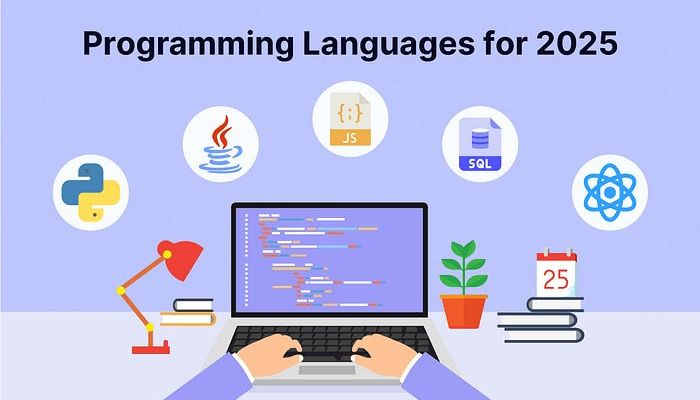
    The tech landscape is shifting at a breathtaking pace. While established giants like Python and JavaScript continue to dominate, the horizon is buzzing with specialized tools designed for the next wave of computing. Knowing which programming languages 2025 will demand isn’t just about staying current; it’s about positioning yourself at the forefront of fields like AI, systems programming, and Web3.

    This guide moves beyond the mainstream to explore the powerful, niche, and emerging programming languages 2025 has on its radar. These are the languages that offer unique advantages, solve specific problems elegantly, and are gaining traction in cutting-edge industries. Let’s dive into the languages you probably haven’t considered but absolutely should.

    Why Your Next Language Matters More Than Ever

    Choosing what to learn next is a strategic career decision. The right programming languages 2025 will prioritize performance, safety, and developer productivity in new ways. We’re seeing a clear trend towards languages that prevent common bugs at compile time, excel in resource-constrained environments, and provide first-class support for concurrency. Learning a language from this list isn’t just about syntax; it’s about adopting a new paradigm for building robust and efficient software.

    The Top Contenders: Programming Languages to Master for 2025

    Here are the languages that are set to move from the sidelines to the spotlight.

    The Rise of Memory-Safe and Performant Systems Languages

    The demand for software that is both blisteringly fast and inherently secure has never been higher. This is where modern systems languages shine.

    Rust: The Safe Concurrency Champion

    You’ve likely heard of Rust, but its importance will only grow in 2025. Rust’s core promise—memory safety without a garbage collector—makes it ideal for performance-critical applications where C++ was once the only option. Its sophisticated ownership model eliminates entire classes of bugs, from null pointer dereferences to data races. What makes it a top programming language for 2025 is its exploding adoption in the Linux kernel, web infrastructure (like Firefox and Deno), and blockchain development. If you work anywhere near systems programming, embedded devices, or Web3, Rust is no longer optional.

    Zig: The Simplicity-First Challenger

    While Rust adds powerful guarantees, Zig takes a different approach: simplicity and transparency. Zig aims to be a true successor to C, offering competitive performance and control with a much smaller and easier-to-understand language specification. Its killer feature is its deep integration with C, making it an excellent tool for incrementally improving existing C codebases or writing new, high-performance libraries. For developers tired of language complexity, Zig offers a refreshing, no-nonsense path to building efficient software.

    Languages for the AI and Data Science Frontier

    Python’s reign in data science is secure, but the next generation of AI requires more speed and specialized tooling.

    Mojo: The AI Speed Revolution

    This is perhaps the most exciting entry on the list. Mojo is a new language that aims to be a superset of Python, combining Python’s usability and ecosystem with the performance of C. It is specifically designed for AI and machine learning workloads, offering features like auto-tuning and compile-time meta-programming. For data scientists and ML engineers who love Python but are hindered by its speed limitations, Mojo represents a potential game-changer and is a critical programming language for 2025 to watch.

    Read more about How to Build a Simple SaaS in 30 Days: A Strategic Blueprint

    Julia: The High-Performance Numerics Expert

    programming languages 2025

    Julia was built from the ground up for scientific computing and numerical analysis. Its syntax is as easy as Python’s for prototyping, but it compiles to machine code that rivals C in speed. Julia eliminates the “two-language problem,” where you prototype in a slow language and then rewrite performance-critical parts in C++. For fields like quantitative finance, engineering simulation, and scientific research, Julia is becoming the go-to tool, making it a strategic bet among the key programming languages 2025 will prioritize.

    Modern Web and Application Development Evolves

    The web is maturing, and the tools for building on it are becoming more robust and full-featured.

    TypeScript: The Mature, Type-Safe Standard

    TypeScript is no longer “emerging,” but its role in 2025 is more crucial than ever. As web applications grow in complexity, the safety provided by static typing is no longer a luxury—it’s a necessity for maintaining large codebases. TypeScript’s incredible ecosystem and its position as the de facto standard for new JavaScript frameworks make it the most practical and high-impact language for any web developer to master.

    Elixir: The Concurrency and Reliability Powerhouse

    Elixir, built on the battle-tested Erlang VM (BEAM), is designed for building scalable and maintainable applications. Its functional nature and “let it crash” philosophy make it exceptionally resilient. Elixir shines for real-time applications like live chat, messaging platforms, and IoT backends where thousands of concurrent connections are the norm. As demand for real-time features grows, Elixir’s value will continue to rise, securing its place among the top programming languages 2025 has to offer.

    The Niche Players with Massive Potential

    Some languages serve a specific domain so well that they are worth learning for that reason alone.

    Go (Golang): The Cloud-Native Backend King

    Go’s strength lies in its simplicity, fast compilation, and excellent built-in support for concurrency (goroutines). This makes it perfectly suited for building distributed systems, cloud-native tools, and API backends. With the cloud computing market expanding relentlessly, Go’s relevance for backend and infrastructure roles makes it one of the most relevant programming languages 2025 has to offer.

    How to Choose Your Next Language

    With so many compelling options, how do you decide? Follow this simple framework:

    1. Align with Your Career Goals: Aspiring AI engineer? Look at Mojo. Systems programmer? Dive into Rust or Zig. Web developer? Master TypeScript.
    2. Solve a Personal Pain Point: Is there a project at work that could be faster or more reliable? Learning a language that addresses that specific problem gives you immediate, practical experience.
    3. Embrace the Learning Mindset: The goal isn’t just to learn a syntax; it’s to understand the new paradigms and concepts the language introduces, like Rust’s ownership or Elixir’s functional concurrency.

    Conclusion: Your Strategic Advantage Awaits

    The most successful developers in 2025 won’t just be experts in one language; they will be polyglots who understand how to apply the right tool for the job. By exploring one of these forward-thinking programming languages 2025 is set to embrace, you’re not just learning a new skill—you’re investing in a mindset of efficiency, safety, and innovation. Choose one that sparks your curiosity, start a small project, and build your way to the forefront of the next technological wave.

    programming languages 2025
  • How to Build a Simple SaaS in 30 Days: A Strategic Blueprint

    How to Build a Simple SaaS in 30 Days: A Strategic Blueprint

    “The dream of launching your own Software-as-a-Service (SaaS) product can feel daunting. Visions of complex code, massive infrastructure, and years of development often hold aspiring founders back. But what if you could cut through the noise and finally build a simple SaaS, creating a functional, valuable product in just one month? It’s not only possible; it’s a powerful strategy to test your idea without burning out.”

    This guide isn’t about building the next Salesforce. It’s about how to build a simple SaaS that solves one specific problem exceptionally well. We’ll walk through a lean, aggressive 30-day plan that focuses on action over perfection, helping you go from concept to your first user in record time.

    The Mindset: Embracing the “Minimum Viable Product” (MVP)

    Before writing a single line of code, you must adopt the right mindset. Your goal for this 30-day sprint is to create a Minimum Viable Product (MVP). This is the most basic version of your product that still delivers core value. It will have just enough features to satisfy early users and provide you with crucial feedback. Remember, a perfect product launched in 6 months is often less valuable than a good-enough product launched today.

    The 30-Day Sprint: Your Phased Plan to Build a Simple SaaS

    Let’s break down the month into three clear phases: Pre-Build, Build, and Post-Build. Sticking to this structure is the key to success.

    Days 1-10: The Pre-Build Foundation (Plan & Validate)

    This phase is about laying the groundwork. Rushing into development now will cost you time later.

    Define Your Core Value Proposition

    You cannot build a simple SaaS without extreme focus. Ask yourself: What is the one primary problem I am solving, and for whom? Be specific. Instead of “a tool for marketers,” think “a simple subscription tracker for freelance graphic designers.” Write this down; it’s your North Star.

    Read more about The Best AI Chrome Extensions of 2025 You Didn’t Know About

    Sketch Your User Journey and Key Features

    Grab a whiteboard or a notebook. Map out the absolute essential path a user must take to get value. For a subscription tracker, this is: 1) Sign Up, 2) Add a Client, 3) Set a Subscription Fee & Billing Date, 4) See a Dashboard of Upcoming Bills. List every feature you want to have, then ruthlessly cut it down to the 3-5 features that are part of this core journey.

    Choose Your Tech Stack for Speed

    To build a simple SaaS quickly, you need a modern, efficient tech stack. Here’s a proven, beginner-friendly combination:

    • Frontend: A reactive framework like Vue.js or React. They allow you to build dynamic interfaces fast.
    • Backend: A full-stack framework is your best friend. Laravel (PHP), Ruby on Rails, or Django (Python) handle user auth, databases, and routing out-of-the-box.
    • Database: PostgreSQL or MySQL. Both are robust and well-supported.
    • Hosting & Deployment: Use Platform-as-a-Service (PaaS) options like DigitalOcean App Platform, Heroku, or Vercel. They manage servers for you, so you can deploy with a simple git push.
    • Payments: Integrate Stripe or Paddle from day one. They handle subscriptions, invoices, and tax compliance, saving you hundreds of hours.

    Days 11-25: The Build Phase (Develop Your Core)

    This is the execution phase. The goal is to create your MVP based on the pre-build plans.

    Set Up Authentication and Database

    Start by building the foundation. Implement a secure user registration and login system. Your chosen framework likely has a pre-built package for this. Then, design and build the core database tables. For our tracker example, you’d need usersclients, and subscriptions tables.

    Develop the Core User Flow

    Now, build the essential user journey you sketched out. Focus on making this single path work flawlessly. Don’t get distracted by “nice-to-have” features like password reset emails or user settings pages. Those can come later. The ability for a user to complete the core job is all that matters right now.

    Integrate the Payment Gateway

    This is a critical step. Integrate Stripe to handle subscription plans. Start with just one or two plans (e.g., Basic and Pro). Proper payment integration is what transforms your application into a real business.

    Days 26-30: The Post-Build Phase (Launch & Learn)

    Your MVP is built. Now it’s time to ship it and start the real learning process.

    Deploy and Perform Basic Testing

    When you build a simple SaaS, you need a place to send potential users. Use a tool like Carrd or a simple WordPress page to create a one-page website. It should clearly explain what your SaaS does, who it’s for, and include a prominent “Start Your Free Trial” button that links to your app.

    Create a Simple Landing Page

    You need a place to send potential users. Use a tool like Carrd or a simple WordPress page to create a one-page website. It should clearly explain what your SaaS does, who it’s for, and include a prominent “Start Your Free Trial” button that links to your app.

    Soft Launch and Gather Feedback

    Your goal when you build a simple SaaS is not a viral Product Hunt launch. It’s a soft launch. Share your landing page with a small, relevant group—friends, a niche online community, or industry contacts. Encourage them to try it and give blunt feedback. Their input is more valuable than your first $10. Listen carefully to what confuses them or what they feel is missing.

    Conclusion: Your Journey Starts Now

    Learning how to build a simple SaaS in 30 days is less about technical wizardry and more about disciplined focus. It’s a skill that empowers you to test ideas, solve problems, and create value with unprecedented speed. The product you launch on day 30 is just the beginning. The true success lies in the feedback you gather and the iterative improvements you make from there.

    Build Simple SaaS

    Stop planning and start building. Choose your one problem, define your MVP, and commit to your 30-day sprint. The experience you’ll gain is the most valuable asset of all.

  • The Best AI Chrome Extensions of 2025 You Didn’t Know About

    The Best AI Chrome Extensions of 2025 You Didn’t Know About

    We all know the famous ones—the grammar checkers, the chatbot sidebars, the common AI assistants that everyone recommends. But the real power users know that the most transformative tools are often the ones flying under the radar. The ecosystem of AI Chrome extensions is evolving at a breakneck pace, and 2025 is set to be defined by hyper-specialized, context-aware intelligence that works seamlessly within your browser.

    This isn’t just about correcting your grammar or summarizing an article. We’re talking about extensions that can deconstruct complex data, automate multi-step workflows, and enhance your creativity in ways you haven’t imagined. Ready to upgrade your digital toolkit? Let’s dive into the best AI Chrome extensions of 2025 that you probably haven’t discovered yet.

    Read more about AI Productivity Tools: The Unseen Engine of Modern Work

    Beyond Grammar: The Next Generation of Writing and Communication Aides

    While basic AI writers are everywhere, the next wave of AI Chrome extensions focuses on nuance, tone, and platform-specific optimization.

    ToneShift: Adaptive Communication AI

    Ever written an email that came across as too harsh? Or a social media post that fell flat? ToneShift is the solution. This ingenious extension analyzes your draft text and suggests real-time alterations to match a desired tone—from “Professional and Confident” to “Friendly and Casual” or even “Persuasive and Urgent.” It goes beyond synonyms, restructuring sentences to ensure your message lands exactly as intended, across every platform from LinkedIn and Gmail to Slack.

    Contextual Reply: The Inbox Autopilot You Control

    Most email AIs are generic. Contextual Reply is different. It reads the entire email thread, understands the context and nuances, and generates not one, but three distinct reply options for you to choose from: a quick acknowledgment, a detailed response, or a proactive question to keep the conversation moving. It’s like having a personal communications assistant that truly understands the flow of your work.

    Research and Analysis: From Overwhelmed to Over-Informed in Seconds

    AI Chrome extensions

    The modern web is a firehose of information. These AI Chrome extensions act as intelligent valves, helping you process, analyze, and synthesize data effortlessly.

    DataSnag: Your Instant Data Visualizer

    Found a table of complex data on a webpage? Instead of painstakingly copying it into a spreadsheet, simply click the DataSnag icon. This powerful extension doesn’t just extract the data; it uses AI to instantly generate charts, identify key trends, and provide a one-paragraph summary of the insights. It’s a game-changer for analysts, students, and anyone who needs to make sense of numbers quickly.

    Veracity Check: Your Built-in Fact-Checker

    In an era of misinformation, Veracity Check is an essential utility. As you browse news articles or long-form content, this extension automatically highlights claims and statistics. A single click reveals a sidebar with credible, sourced information that corroborates or challenges the claim, pulling from established fact-checking databases and academic sources. It brings critical context to everything you read.

    Productivity and Workflow: Automating the Unseen Tasks

    The true mark of a powerful tool is its ability to automate the tasks you didn’t even realize were slowing you down. These AI Chrome extensions are the silent workhorses of productivity.

    FlowWeave: The Multi-App Automator

    FlowWeave is a visual workflow automation tool that lives in your browser. It lets you connect different web apps with simple “if-this-then-that” logic, but with an AI brain. For example, you can create a flow that: “When I ‘star’ an email in Gmail with the label ‘To-Tweet,’ the AI automatically drafts a Twitter-friendly version of the email content and saves it to a Google Doc.” It eliminates the friction between your most-used tools.

    TabSage: The Intelligent Tab Manager

    We’ve all suffered from tab overload. While other tab managers just organize, TabSage uses AI to understand why you have tabs open. It can automatically group tabs by project (e.g., “Q4 Marketing Report,” “Vacation Planning”), suggest which tabs can be safely suspended or closed based on your usage patterns, and even create a “session summary” of your key activities from a cluttered browsing window.

    Creativity and Content Creation: Unleashing Your Inner Innovator

    For designers, developers, and content creators, a new class of AI Chrome extensions is turning the browser into a creative canvas.

    PalettePerfect: The AI Color Theorist

    This extension is a designer’s dream. See a website with a color scheme you love? Activate PalettePerfect, and it doesn’t just extract the colors. It uses AI to understand the color theory behind the palette, generate complementary and analogous schemes, and provide the exact CSS codes to use it in your own projects. It’s like having a professional color consultant available on every site you visit.

    CodeExplain: The Developer’s Rubber Duck, Supercharged

    For developers, understanding a piece of unfamiliar code on GitHub or a documentation site can be time-consuming. CodeExplain allows you to highlight any code snippet, and it will break it down in plain English, explain its function, identify potential errors, and even suggest optimizations. It dramatically accelerates learning and debugging.

    How to Integrate These AI Chrome Extensions Into Your Life

    AI Chrome extensions

    Adopting too many new tools at once can be counterproductive. Here’s a smart approach:

    1. Audit Your Friction: Identify one or two repetitive tasks that drain your time each week. Is it research? Writing emails? Managing tabs?
    2. Pick One and Pilot: Choose the single AI Chrome extension that best addresses your biggest pain point. Use it exclusively for a week.
    3. Evaluate and Iterate: Did it genuinely save you time or improve your output? If yes, keep it and consider adding another. If not, uninstall and try a different one.

    The goal is strategic enhancement, not digital clutter.

    The Future is Contextual and Invisible

    The trajectory for the best AI Chrome extensions in 2025 is clear: they are becoming more contextual, integrated, and invisible. They will understand not just what you’re doing, but why you’re doing it, offering proactive assistance that feels less like using a tool and more like having a superpower. Don’t just browse the web—command it. Start by installing one of these incredible tools today and experience the future of productivity firsthand.


  • AI Productivity Tools: The Unseen Engine of Modern Work

    AI Productivity Tools: The Unseen Engine of Modern Work

    It’s 10:00 AM. Your inbox is a battlefield of unread emails, your calendar is a patchwork of conflicting meetings, and that crucial report is still just a blank document. Sound familiar? This was the reality for millions of professionals just a few years ago. Today, a quiet revolution is underway, fundamentally changing how we approach our daily grind. At the heart of this shift are AI productivity tools—intelligent software that acts less like a tool and more like a capable colleague.

    These aren’t just fancy gadgets; they are transformative partners. They are reshaping workflows, automating the mundane, and unlocking new levels of creativity and strategic thinking. In this article, we’ll explore how these powerful AI productivity tools are integrating into our work lives, the specific areas they are revolutionizing, and how you can leverage them to not just work harder, but significantly smarter.

    What Exactly Are AI Productivity Tools?

    Let’s demystify the term. At their core, AI productivity tools are applications that use artificial intelligence—specifically machine learning and natural language processing—to understand context, predict needs, and execute tasks with minimal human input.

    Think of the difference between a regular hammer and a power nailer. Both drive nails, but one does it with exponentially greater speed, precision, and less effort. That’s the leap we’re talking about. These tools learn from your behavior, adapt to your preferences, and handle repetitive, time-consuming tasks, freeing you to focus on what humans do best: critical thinking, relationship-building, and innovation.

    The Core Areas Transformed by AI Productivity Tools

    The infiltration of AI into our work stacks is both broad and deep. Here’s a breakdown of the key domains being revolutionized.

    Communication and Writing Enhancement

    From drafting emails to crafting reports, written communication consumes a massive portion of our day. AI productivity tools are now indispensable writing assistants.

    • Smart Email Composition: Tools like Grammarly and Hemingway Editor go beyond simple grammar checks. They analyze your tone for clarity and professionalism, suggest more concise phrasing, and can even generate full email responses based on a few bullet points you provide.
    • Content and Document Drafting: Platforms like Jasper or Copy.ai can help you overcome writer’s block by generating blog post outlines, marketing copy, or even sections of a report. Microsoft’s Copilot integrated into Word takes this a step further, helping you rewrite paragraphs, summarize long documents, or generate ideas directly within your workflow.

    Project and Task Management

    AI productivity tools

    Keeping projects on track and managing a team’s workload is a complex juggling act. AI is now the expert juggler.

    • Predictive Scheduling and Prioritization: Tools like ClickUp and Asana are incorporating AI to predict task durations, automatically flag potential project risks, and suggest optimal task sequences based on deadlines and dependencies.
    • Automated Meeting Management: Imagine a tool that not only transcribes your meeting but also identifies action items, decisions, and key takeaways. Otter.ai and Fireflies.ai do exactly that, creating searchable notes and distributing follow-up tasks automatically, ensuring nothing falls through the cracks.

    Data Analysis and Insight Generation

    Data is the new oil, but it’s useless if you can’t refine it. AI acts as a super-powered refinery.

    • Intelligent Spreadsheets: Google Sheets and Microsoft Excel are embedding AI features that can automatically detect patterns, generate charts, and even answer complex questions about your data in plain English. Instead of writing intricate formulas, you can simply ask, “What was our best-selling product last quarter by region?”
    • Advanced Business Intelligence (BI): Platforms like Tableau and Power BI use AI to provide predictive analytics, forecasting future trends based on historical data. This allows businesses to make proactive, data-driven decisions rather than reactive guesses.

    Creativity and Design

    Perhaps the most surprising area of impact is creativity. AI productivity tools are not replacing designers and artists; they are augmenting their capabilities.

    • H3: Visual Asset Creation: Tools like Midjourney, DALL-E, and Canva’s AI features allow anyone to generate high-quality images, social media graphics, and mockups from a simple text description. This drastically reduces the time and cost of prototyping and content creation.
    • H3: Audio and Video Editing: AI can now remove background noise from podcasts, automatically edit video highlights, and even generate synthetic voiceovers that sound remarkably human. This democratizes high-quality media production.

    Implementing AI Productivity Tools: A Practical Guide

    Adopting this new technology can feel daunting. Here’s a simple, strategic approach:

    1. Identify Your Pain Points: Start with the most time-consuming or frustrating part of your day. Is it email? Data entry? Meeting notes? This will point you toward the right category of tool.
    2. Start Small and Specific: Don’t try to overhaul your entire workflow at once. Choose one tool—a writing assistant or a transcription service—and master it.
    3. Focus on Integration: The best AI productivity tools seamlessly integrate with the software you already use (like Gmail, Slack, or Microsoft Office). This reduces friction and encourages adoption.
    4. Train and Refine: AI is a learning system. The more you use it and provide feedback (e.g., accepting or rejecting its suggestions), the better it becomes at serving your specific needs.

    The Human Element: The Irreplaceable Role of You

    With all this talk of automation, it’s crucial to remember that AI is a tool, not a replacement for human intellect. The strategic vision, the empathetic understanding of a client’s unspoken needs, the creative spark for a new campaign—these are inherently human domains. The true power of AI productivity tools lies in their ability to handle the “work about work,” giving you back the mental space and time to do the deep, meaningful work that drives real progress.

    Read more about The Power Source Problem: How Robots Achieve Long Battery Life

    The Future is Collaborative

    The evolution of AI productivity tools is moving towards even deeper integration and proactivity. We are heading toward a future where your digital workspace will anticipate your needs, prepare your reports before you ask, and manage your schedule with a level of nuance that feels like having a world-class executive assistant.

    AI productivity tools

    The question is no longer if you should adopt these tools, but how quickly you can start. By embracing these intelligent assistants, you are not just keeping up with the times; you are positioning yourself at the forefront of a more efficient, creative, and fulfilling way of working. The revolution is here, and it’s powered by AI.

  • The Power Source Problem: How Robots Achieve Long Battery Life

    The Power Source Problem: How Robots Achieve Long Battery Life

    Imagine a sophisticated search-and-rescue robot, capable of navigating collapsed buildings, losing power just as it detects a survivor. Or an agricultural drone that can only monitor a fraction of a field before needing a recharge. This is the fundamental Power Source Problem in robotics: the critical disconnect between a robot’s advanced capabilities and the limited energy available to fuel them. For robots to transition from confined factories to our dynamic, everyday world, they must solve this endurance challenge.

    The quest for longer robot battery life is not a simple task of installing a larger battery. It is a complex, multi-disciplinary endeavor that involves breakthroughs in chemistry, hardware efficiency, and artificial intelligence. This article explores the innovative ways engineers are tackling the Power Source Problem, enabling robots to work smarter, longer, and more autonomously than ever before.

    Read more about How Robots Use Sensor Fusion to Understand the World You Didn’t Know About

    Why the Power Source Problem is a Fundamental Bottleneck

    The Power Source Problem is more than an inconvenience; it’s the primary constraint on a robot’s utility and independence. A robot’s operational range, payload capacity, and overall functionality are directly dictated by its energy supply. This challenge is acute in several key areas:

    • Autonomy and Independence: Frequent recharging breaks the flow of work and requires human intervention, defeating the purpose of full automation.
    • Performance vs. Endurance Trade-off: Powerful motors, advanced computing, and numerous sensors drain batteries quickly. Engineers must constantly balance capability with runtime.
    • Weight and Size Constraints: Simply using a bigger battery is often not feasible. The added weight requires more energy to move, creating a diminishing returns scenario that lies at the heart of the Power Source Problem.

    Hardware Innovations: Building an Efficient Physical Machine

    The first line of attack against the Power Source Problem is to create hardware that consumes less power from the start. Engineers are rethinking every physical component for maximum efficiency.

     Power Source Problem

    Advanced Battery Chemistry: Beyond Lithium-Ion

    While Lithium-ion is the current standard, research is pushing into new chemistries to tackle the Power Source Problem:

    • Solid-State Batteries: By replacing the liquid electrolyte with a solid, these batteries promise higher energy density (more power in the same size) and improved safety, allowing for longer operation without increasing the robot’s footprint.
    • Lithium-Sulfur (Li-S): This chemistry offers a significantly higher theoretical energy density than Lithium-ion, which could dramatically extend mission times for drones and other weight-sensitive robots.

    Energy-Sipping Components and Designs

    Efficiency is engineered into the very fabric of modern robots:

    • Low-Power Computing: Specialized processors, like ARM-based architectures, provide the necessary computational power for navigation and sensing while drawing a fraction of the energy of traditional CPUs.
    • Regenerative Drives: Inspired by electric vehicles, some mobile robots can now recapture energy. When a robot arm lowers a heavy object or a mobile robot goes downhill, the motors act as generators, putting a small but valuable charge back into the battery.
    • Lightweight Materials: The use of composites, carbon fiber, and advanced polymers reduces the overall weight a robot must move, directly reducing the energy required for locomotion and easing the Power Source Problem.

    Software Intelligence: The Brains Behind Energy Conservation

    Perhaps the most clever solutions to the Power Source Problem come not from hardware, but from software. Smart algorithms allow robots to manage their own energy consumption dynamically.

    Adaptive Power Management Systems

    Think of this as a robot’s internal energy conscience. These systems monitor power levels and intelligently adjust behavior:

    • Task Scheduling: A warehouse robot might calculate that it has just enough power to complete its current delivery task before autonomously navigating to a charging dock, all without human instruction.
    • Sensor Gating: Instead of running all sensors at full power continuously, the robot intelligently powers down non-essential sensors. A robot might use a low-power camera for general navigation, only activating its power-hungry 3D depth sensor when it needs to perform a precise manipulation task.

    AI-Optimized Path Planning and Behavior

    Artificial Intelligence offers a powerful tool to combat the Power Source Problem:

    • Efficient Trajectory Planning: AI can calculate not just the shortest path, but the most energy-efficient one. For a drone, this might mean finding a path that minimizes fighting against headwinds. For a ground robot, it could mean a route with smoother terrain.
    • Dynamic Performance Scaling: The robot can lower its processor speed or reduce its movement speed when a task does not require peak performance, conserving precious energy for when it’s truly needed.

    Real-World Robots Winning the Battle Against the Power Source Problem

    These innovations are not just theoretical. They are being deployed in real-world applications:

     Power Source Problem
    • Agricultural Monitoring Drones: Companies like DJI have developed drones that combine efficient brushless motors, aerodynamic designs, and intelligent flight controllers to achieve flight times of 30-45 minutes, allowing them to map large farms in a single charge.
    • Autonomous Warehouse Robots: Amazon’s fulfillment centers use robots that can work for hours on end. They employ a combination of low-power electronics and sophisticated software that directs them to automated charging stations for brief “sips” of power during natural lulls in activity, effectively solving their Power Source Problem through continuous, opportunistic charging.
    • Planetary Rovers: As the ultimate example, NASA’s rovers on Mars use a combination of solar panels, sophisticated sleep cycles, and meticulous energy budgeting to operate for years in an environment where recharging is a daily challenge dictated by the sun.

    The Future of Robotic Power: What’s on the Horizon?

    The fight against the Power Source Problem continues with several promising frontiers:

    • Wireless Charging: The development of room-scale wireless charging could allow robots to charge while performing tasks, making the concept of a “dead battery” obsolete for indoor robots.
    • Alternative Power Sources: Research into hydrogen fuel cells and miniature nuclear batteries (radioisotope thermoelectric generators) could provide vastly superior energy density for extreme applications.
    • Energy-Aware AI: The next generation of AI will not just optimize for task completion, but for energy expenditure as well, making energy conservation a core part of a robot’s decision-making process.

    Conclusion: A Future of Unplugged Potential

    The Power Source Problem remains a significant hurdle, but it is one that the field of robotics is tackling with remarkable creativity and engineering prowess. Through a synergistic combination of better batteries, efficient hardware, and intelligent software, robots are steadily achieving the endurance required to become integral, autonomous partners in our world.

    Solving this problem is the key that unlocks the full potential of robotics, paving the way for a future where robots can work alongside us, tirelessly and intelligently, to tackle some of society’s greatest challenges.

  • How Robots Use Sensor Fusion to Understand the World You Didn’t Know About

    How Robots Use Sensor Fusion to Understand the World You Didn’t Know About

    Look at a coffee cup on your desk. In an instant, your brain seamlessly combines a flood of sensory information: you see its position and color, you feel its solidity and temperature when you grab it, and you hear the subtle clink as you set it down. You don’t perceive these as separate data streams; you experience a unified, rich understanding of the “coffee cup.” For robots to operate in our complex, dynamic world, they need this same capability. This is where the transformative technology of Sensor Fusion comes into play.

    Sensor Fusion is the engineering discipline of intelligently combining data from multiple sensors to produce a more accurate, reliable, and complete understanding of the environment than could be achieved by any single sensor alone. It is the silent, powerful brain behind the perception of every advanced robot, autonomous vehicle, and smart device, enabling them to move from being blind, deaf machines to context-aware partners.

    What is Sensor Fusion? Beyond the Sum of Its Parts

    At its core, Sensor Fusion is about overcoming the inherent limitations of individual sensors. No single sensor is perfect. Cameras can be fooled by lighting and lack depth. LiDAR struggles with fog and rain. GPS can be inaccurate by several meters. Inertial Measurement Units (IMUs) drift over time.

    Sensor Fusion solves this by creating a synergistic system. It’s the robotic equivalent of a sports team, where each player has a specialized role, but it’s their coordinated play that wins the game. By fusing complementary data streams, the system compensates for the weaknesses of one sensor with the strengths of another, creating a robust and resilient perception model. This process is foundational for any robot that must operate safely and effectively outside of a perfectly controlled cage.

    Read more about From Blueprint to Bot: The Engineering Journey of a Robot You Didn’t Know About

    The Technical Magic: How Sensor Fusion Algorithms Work

    The “fusion” in Sensor Fusion isn’t a simple averaging of data. It’s a sophisticated mathematical process, often powered by probabilistic models and AI. The goal is to create a central, evolving model of the world—often called the “state estimate”—that is continuously updated with fresh sensor readings.

    The Kalman Filter: The Workhorse of Sensor Fusion

    One of the most fundamental algorithms in Sensor Fusion is the Kalman Filter. Think of it as a sophisticated “predict-and-correct” engine.

    1. Prediction: The filter predicts the robot’s next state (e.g., its position and velocity) based on its previous state and known control inputs (e.g., wheel rotation).
    2. Update: Then, it takes the actual sensor measurements (e.g., from a GPS or camera).
    3. Fusion: The algorithm fuses the prediction and the measurement, weighting each based on their calculated uncertainties. If the GPS signal is temporarily noisy, the filter trusts its internal prediction more. When the GPS is clear again, it corrects the model.

    This continuous loop results in a smooth, accurate, and real-time estimate of the robot’s position and movement, far surpassing what any single sensor could provide. This is a cornerstone of the sensor fusion process in navigation.

    AI-Powered Fusion: The Next Generation

    Sensor Fusion

    While classical filters like the Kalman are powerful, modern Sensor Fusion is increasingly leveraging Artificial Intelligence, particularly Deep Learning.

    • Deep Sensor Fusion: AI models, such as convolutional neural networks (CNNs), can be trained to take raw, unprocessed data from multiple sensors (e.g., camera images and LiDAR point clouds) and learn to extract and combine features on its own. The AI discovers the most effective way to correlate visual patterns with spatial data, leading to incredibly robust object classification and scene understanding.
    • Cross-Modal Learning: This allows a robot to learn from one sensor to improve another. For example, by fusing camera and microphone data, a robot could learn to associate the sound of a specific machine with its visual appearance, enabling it to identify a faulty motor both by its sound and its visual vibration.

    Real-World Applications: Sensor Fusion in Action

    The theoretical power of Sensor Fusion becomes clear when we see it operating in the wild.

    • Self-Driving Cars: This is the ultimate showcase for Sensor Fusion. A car’s system fuses data from cameras, radar, LiDAR, and GPS. The camera identifies a “stop sign.” Radar confirms it’s a solid, stationary object. LiDAR provides its precise distance. GPS and wheel odometry place it on the map. This redundant, multi-layered perception is the only way to achieve the safety required for full autonomy.
    • Autonomous Drones: A drone uses Sensor Fusion to maintain stable flight. Its IMU measures acceleration and rotation, but this data drifts quickly. A downward-facing camera and an ultrasonic sensor provide visual odometry and altitude data, which are fused with the IMU data to correct for drift and allow the drone to hover perfectly in place, even indoors without GPS.
    • Advanced Robotics in Logistics: A warehouse picking robot uses a combination of 2D and 3D cameras. The 2D camera quickly identifies an object in a bin, while the 3D camera determines its precise orientation and depth. Sensor Fusion combines this information to guide the robotic arm to a successful and efficient grasp, even amongst clutter.
    • Smartphones: The simple act of switching your phone screen from portrait to landscape is a result of Sensor Fusion. The device fuses data from an accelerometer (which senses gravity) and a gyroscope (which senses rotation) to instantly and smoothly know the phone’s orientation.

    The Unseen Benefits: Why Sensor Fusion is Non-Negotiable

    The value of implementing a robust Sensor Fusion pipeline extends far beyond basic functionality.

    • Increased Reliability and Redundancy: If one sensor fails or provides spurious data, the fused system can rely on the others to maintain a degree of operational awareness and safety.
    • Resolution Enhancement: Fusing a low-resolution depth sensor with a high-resolution camera can create a high-resolution depth map, giving a robot detailed spatial understanding.
    • Unprecedented Robustness: By combining sensors that are susceptible to different environmental conditions (e.g., a camera that fails in the dark and a LiDAR that struggles with fog), the robot can operate reliably across a much wider range of scenarios.

    Conclusion: The Path to Truly Perceptive Machines

    Sensor Fusion is not merely a technical add-on; it is the fundamental cognitive layer that allows machines to transition from executing pre-programmed scripts to interacting intelligently with an unpredictable world. It is the technology that builds a bridge from raw, noisy data to coherent, actionable understanding.

    As robots move from factory floors into our homes, hospitals, and city streets, the sophistication of their Sensor Fusion systems will directly determine their safety, usefulness, and ability to collaborate with humans. By giving machines a multi-faceted, human-like perception of the world, we are not just building better robots; we are building partners capable of navigating the beautiful complexity of our reality.DeepThinkSearch.

  • From Blueprint to Bot: The Engineering Journey of a Robot You Didn’t Know About

    From Blueprint to Bot: The Engineering Journey of a Robot You Didn’t Know About


    When you see a robot gracefully assembling a car, autonomously navigating a warehouse, or even vacuuming your living room, it’s easy to see only the final product. What remains invisible is the incredible robot engineering process that brought it to life. This process is a marathon of innovation, problem-solving, and meticulous refinement, far removed from the simple “idea to assembly” narrative many imagine.

    The path from a spark of an idea to a fully functional machine is a complex, multi-stage engineering journey filled with challenges and breakthroughs. This article pulls back the curtain on that journey, revealing the critical, often overlooked stages that define the creation of modern robotics.

    The Spark: Defining the Problem Before Designing the Solution

    Every successful robot engineering process begins not with a sketch, but with a question: “What problem needs to be solved?” This initial phase is about deep discovery and defining precise requirements.

    • The Core Function: What is the robot’s primary task? (e.g., pick and place, inspect, navigate).
    • The Operating Environment: Will it work in a sterile lab, a dusty construction site, or a dynamic home? This dictates everything from material choice to sensor robustness.
    • Performance Metrics: How fast, accurate, or strong does it need to be? What is its required battery life or duty cycle?

    This foundational stage sets the guardrails for the entire project. A well-defined problem is a half-solved problem, and in robotics, clarity here prevents costly mistakes down the line.

    The Digital Twin: CAD, Simulation, and Virtual Prototyping

    Long before any metal is cut or wire is soldered, the robot lives and breathes in a digital world. This stage is one of the most transformative in the modern robot engineering process.

    Read more about Adaptive Robotics: How AI is Forging a New Generation of Intelligent Machines

    The Critical Role of Simulation in the Robot Engineering Process

    Engineers use Computer-Aided Design (CAD) software to create detailed 3D models of every component. But they go a step further by placing this digital robot into a simulated environment.

    • Kinematics and Dynamics: Software tests how the robot’s joints will move, identifying its reach, dexterity, and potential collisions with itself or its surroundings.
    • Stress Analysis: Finite Element Analysis (FEA) simulates physical forces—like weight, impact, or vibration—to ensure parts won’t fail under pressure.
    • Virtual World Testing: Developers can write and debug control software against the digital model, training AI algorithms in thousands of virtual scenarios that would be too time-consuming, expensive, or dangerous to replicate in the real world. This iterative virtual prototyping saves months of development time and millions of dollars.

    The Hardware Heart: Mechatronics and Integration

    robot engineering process

    This is where the digital blueprint starts its physical engineering journey. Robotics is the ultimate exercise in mechatronics—the seamless integration of mechanics, electronics, and software.

    • Mechanical Fabrication: Components are manufactured through 3D printing, CNC machining, or casting. The choice of material—from lightweight aluminum to high-strength composites—is critical.
    • Electronics and Sensory System: The nervous system is built. This involves selecting and integrating motors (actuators), sensors (vision systems, LiDAR, torque sensors), and the central computing brain (often a powerful System-on-a-Chip or SOC).
    • Power Systems: Engineers must solve the energy puzzle, selecting batteries or power supplies that provide enough juice for the required performance without adding excessive weight or bulk.

    The Guiding Mind: The Software and Control Layer

    A robot without software is a statue. This stage involves creating the layers of intelligence that transform a collection of parts into an autonomous system. This is the most intensive part of the robot engineering process.

    • Low-Level Firmware: This code directly talks to the hardware, controlling motor speed, reading sensor data, and ensuring stability at the most basic level.
    • Middleware (e.g., ROS): The Robot Operating System (ROS) is a suite of software frameworks that provides standard services like hardware abstraction, device control, and message-passing between processes. It’s the plumbing that allows different software components to communicate.
    • High-Level AI and Perception: This is the cognitive layer. Computer vision algorithms interpret camera feeds, motion planners calculate collision-free paths, and machine learning models enable the robot to learn from its experiences and adapt to new situations.

    Iterate, Test, Break, Repeat: The Prototyping Loop

    The first physical prototype almost never works as intended. This phase is a rigorous cycle of testing, failure, and refinement—a humbling but essential part of the journey.

    • Bench Testing: Components and sub-systems are tested individually in a controlled lab environment.
    • Integration Testing: The fully assembled robot is tested as a whole to see how its systems interact.
    • Real-World Validation: The robot is placed in its intended environment. This is where unforeseen challenges emerge: lighting conditions that confuse a camera, floor textures that disrupt a navigation algorithm, or real-world physics that don’t perfectly match the simulation.

    This loop continues until the robot reliably and safely performs its core function. It’s a testament to the engineering adage: “Fail fast, succeed sooner.”

    Deployment and the Hidden Life of a Robot

    The engineering journey doesn’t end when the robot leaves the factory. Deployment is a stage in itself.

    robot engineering process
    • Field Calibration: The robot is fine-tuned for its specific installation site.
    • Monitoring and Data Collection: Once operational, robots stream back vast amounts of performance data. This data is gold for engineers, revealing usage patterns, component wear, and potential points of failure.
    • Continuous Improvement (CI): This feedback loop fuels the next generation. The lessons learned from robots in the field directly inform the design of future models, creating a virtuous cycle of innovation. This ongoing, hidden life of data collection and updates is a lesser-known but crucial final phase in the process.

    Conclusion: More Than the Sum of Its Parts

    The journey from a blueprint to a functioning bot is a remarkable feat of interdisciplinary collaboration. It’s a story of translating abstract ideas into digital models, physical hardware, and, finally, intelligent action. The next time you see a robot in action, you’ll see more than a machine; you’ll see the culmination of a long, complex, and fascinating robot engineering process—a true journey from concept to reality.

    This process, constantly evolving with new tools like AI and advanced simulation, continues to push the boundaries of what is possible, turning the science fiction of yesterday into the automated reality of today.

  • Adaptive Robotics: How AI is Forging a New Generation of Intelligent Machines

    Adaptive Robotics: How AI is Forging a New Generation of Intelligent Machines

    For decades, the word “robot” conjured images of powerful but mindless machines, bolted to factory floors, performing the same repetitive task with unerring precision but zero understanding. They operated in meticulously controlled environments, and any deviation—a misplaced part, an unexpected obstacle—would lead to failure. But a profound transformation is reshaping the very nature of automation. Welcome to the era of adaptive robotics, a field where machines perceive, learn, and dynamically respond to the unpredictable nature of the real world.

    This shift from programmed automation to intelligent adaptation is powered by breakthroughs in Artificial Intelligence. Adaptive robotics is not merely an incremental improvement; it’s a fundamental reimagining of what robots are and what they can do. This article will delve into how AI acts as the cognitive engine for these machines, explore their real-world applications, and illuminate the future they are building.

    What is Adaptive Robotics? Beyond Repetition and Rigidity

    At its core, adaptive robotics refers to robotic systems capable of modifying their behavior in real-time based on sensory feedback and changing conditions in their environment. Unlike their traditional counterparts, these robots do not rely solely on pre-programmed paths and actions.

    Think of the difference between a student who can only recite memorized facts and one who can critically analyze a new problem and devise a solution. Adaptive robotics gives machines a form of this critical thinking ability. They can handle variability, recover from errors autonomously, and perform complex tasks in unstructured settings—from a cluttered warehouse to a busy operating room.

    The AI Engine: Core Technologies Driving Adaptation

    The “intelligence” in adaptive robotics stems from a powerful combination of AI disciplines. It’s a symphony of technologies working in concert to create a responsive and learning system.

    Read more about Sustainable Tech: How Greener Hardware is Building a Better Future

    Perception and Computer Vision: The Art of Seeing and Understanding

    A robot cannot adapt to a world it cannot perceive. While cameras and sensors (LiDAR, torque sensors) act as its eyes and ears, AI-powered computer vision gives it a brain to interpret what it sees.

    • How it Works: Deep learning models, trained on millions of images, enable robots to identify objects, gauge distances, detect defects, and even interpret human gestures. For instance, an adaptive robotics system on a production line doesn’t just see a component; it identifies its type, orientation, and any potential flaws, then decides the correct action to take.
    • Real-World Example: In agricultural robotics, harvesting machines use computer vision to distinguish ripe fruit from unripe ones and leaves, adapting their grip and picking motion for each piece of produce.

    Machine Learning and Reinforcement Learning: The Power to Learn from Experience

    adaptive robotics

    This is the cornerstone of true adaptation. Machine Learning (ML) allows robots to improve their performance based on data and experience, moving beyond explicit programming.

    • How it Works: Through a technique called Reinforcement Learning (RL), a robot can learn complex tasks through trial and error in a simulated environment. It receives rewards for successful actions and penalties for failures, gradually discovering the optimal strategy to achieve a goal. This is how a robotic arm can learn the delicate touch needed to assemble a device or how a walking robot learns to regain its balance after a stumble.
    • Real-World Example: Google’s DeepMind has used RL to teach robotic limbs complex dexterity tasks, like manipulating blocks, without a single line of task-specific code.

    Real-Time Path Planning and Control: Making Smart Decisions Instantly

    Perception and learning are futile without the ability to make a timely decision. This layer of AI involves sophisticated algorithms that process sensory data and the robot’s internal model to calculate the best possible action in milliseconds.

    • How it Works: These algorithms continuously re-plan the robot’s path to avoid dynamic obstacles, compensate for slippage, or adjust grip force. It’s the executive function that answers the question, “Given what I know and see, what should I do right now?”
    • Real-World Example: Autonomous mobile robots (AMRs) in warehouses use this technology to navigate busy floors, rerouting themselves around human workers, other robots, and unexpected obstacles to deliver goods efficiently.

    The Transformative Impact: Applications of Adaptive Robotics Today

    The theoretical promise of adaptive robotics is already delivering tangible value across a wide range of industries.

    • Advanced Manufacturing: Robots can now perform complex assembly where parts are not perfectly aligned, using force feedback to “feel” their way, much like a human inserting a key into a lock.
    • Logistics and Supply Chain: Adaptive robotics systems are revolutionizing order fulfillment by picking and placing millions of different-sized items from bins, a task once considered far too variable for automation.
    • Healthcare and Assisted Surgery: Surgical robots are incorporating adaptive control to provide haptic feedback to surgeons and can even enforce “no-fly zones” to prevent accidental damage to critical tissues.
    • Disaster Response and Exploration: Search-and-rescue robots can traverse unstable rubble, while underwater robots can autonomously map and inspect pipelines, adapting to currents and changing terrain.

    The Future is Adaptive: Benefits and Emerging Potential

    The adoption of adaptive robotics offers a suite of compelling benefits that extend far beyond simple automation.

    • Unmatched Flexibility: Production lines can switch between different products with minimal downtime, enabling cost-effective, high-mix, low-volume manufacturing.
    • Enhanced Safety and Collaboration: By reliably perceiving humans, adaptive robotics enables true human-robot collaboration (HRC), where robots and people work side-by-side, each performing their strengths.
    • Resilience in Unstructured Environments: This technology opens up automation for industries like construction, forestry, and mining, where the environment is constantly changing and unpredictable.
    • The Path to General Intelligence: While today’s applications are specialized, the continued convergence of these AI technologies is the most credible path toward creating more general-purpose robots capable of performing a wide array of tasks in human-centric environments.

    Conclusion: Embracing an Intelligent Partnership

    The age of rigid, single-purpose automation is giving way to a new paradigm defined by intelligence and flexibility. Adaptive robotics, fueled by the symbiotic relationship of AI, machine learning, and advanced sensors, is not just replacing manual labor; it is augmenting human capability and solving problems once thought impossible to automate. These machines are evolving from isolated tools into collaborative partners, capable of understanding and navigating the complexity of our world. As the technology continues to mature, the potential for adaptive robotics to drive innovation, improve safety, and enhance our quality of life is truly boundless.